Capture with AI Scribe
Record consultations and bring transcripts directly into patient notes, while you focus on the conversation.
Explore AI Scribe →Capture the conversation with AI Scribe. Turn it into notes in your own templates with AI Patient Notes. Prepare handouts and annotated diagrams from the same consultation — all within Practice Master Pro.
AI features are available with an optional AI licence. The standard free trial does not include AI by default.
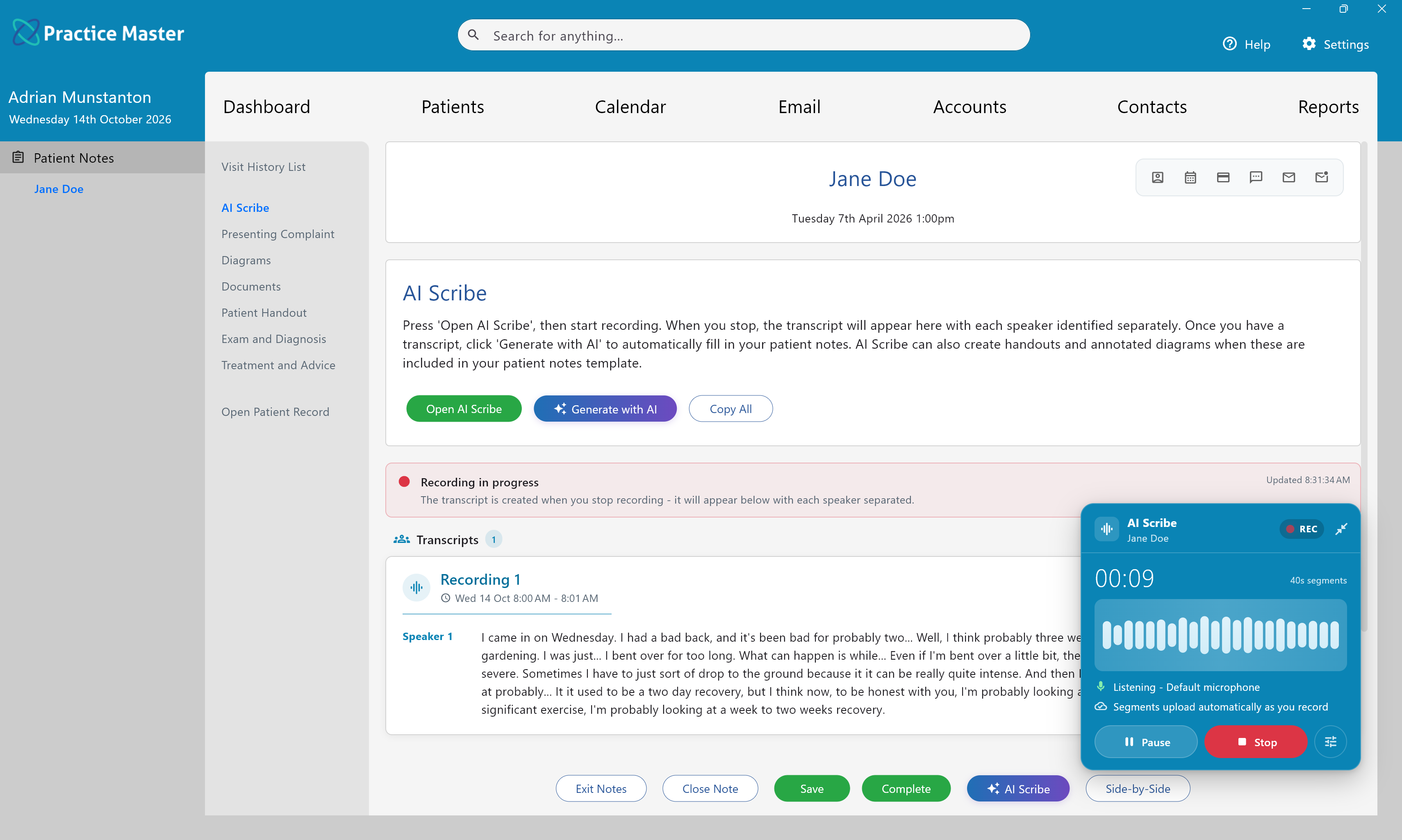
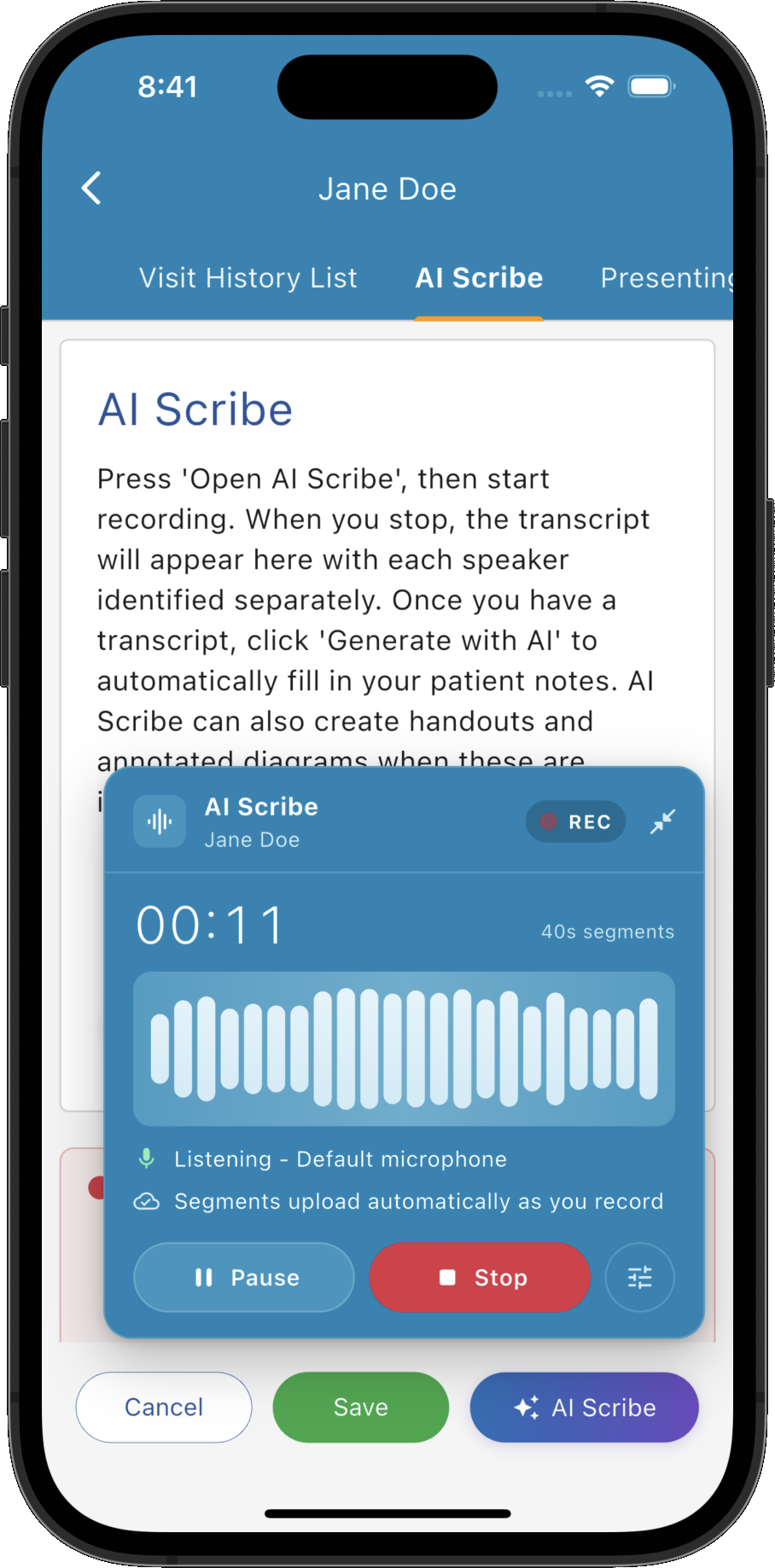
Choose the tools that help your practice, with your clinical judgement guiding the final result.
Record consultations and bring transcripts directly into patient notes, while you focus on the conversation.
Explore AI Scribe →Fill your custom templates and prepare library handouts and annotated diagrams from the transcript.
Explore AI Patient Notes →See where AI processing happens, how temporary data is handled and our commitment to no model training.
Explore AI Privacy & Security →Open AI Scribe from your patient notes and start recording. The floating voice recorder keeps capturing the consultation while you move around the app. Stop when you're ready and the transcript appears in your AI Scribe tab.
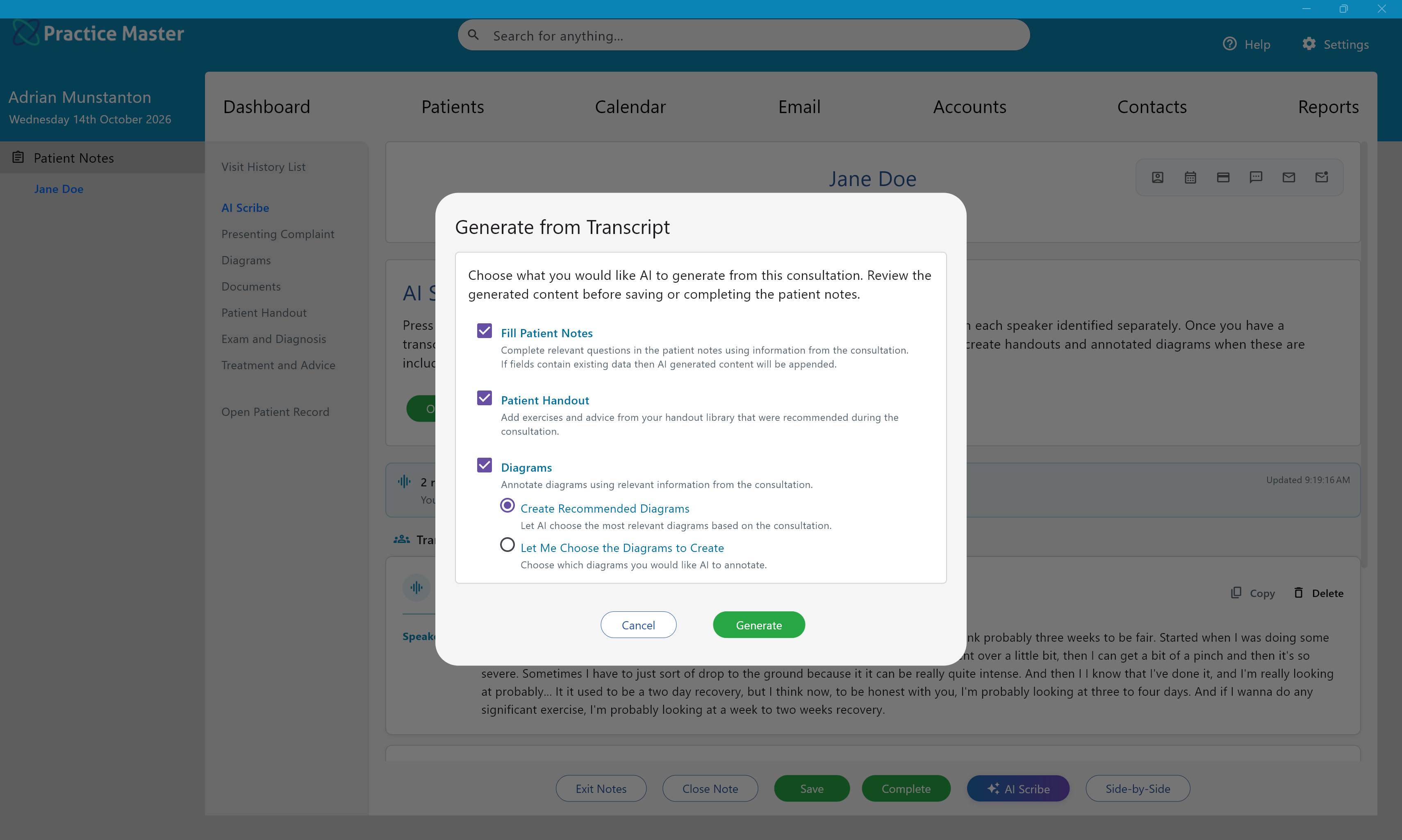
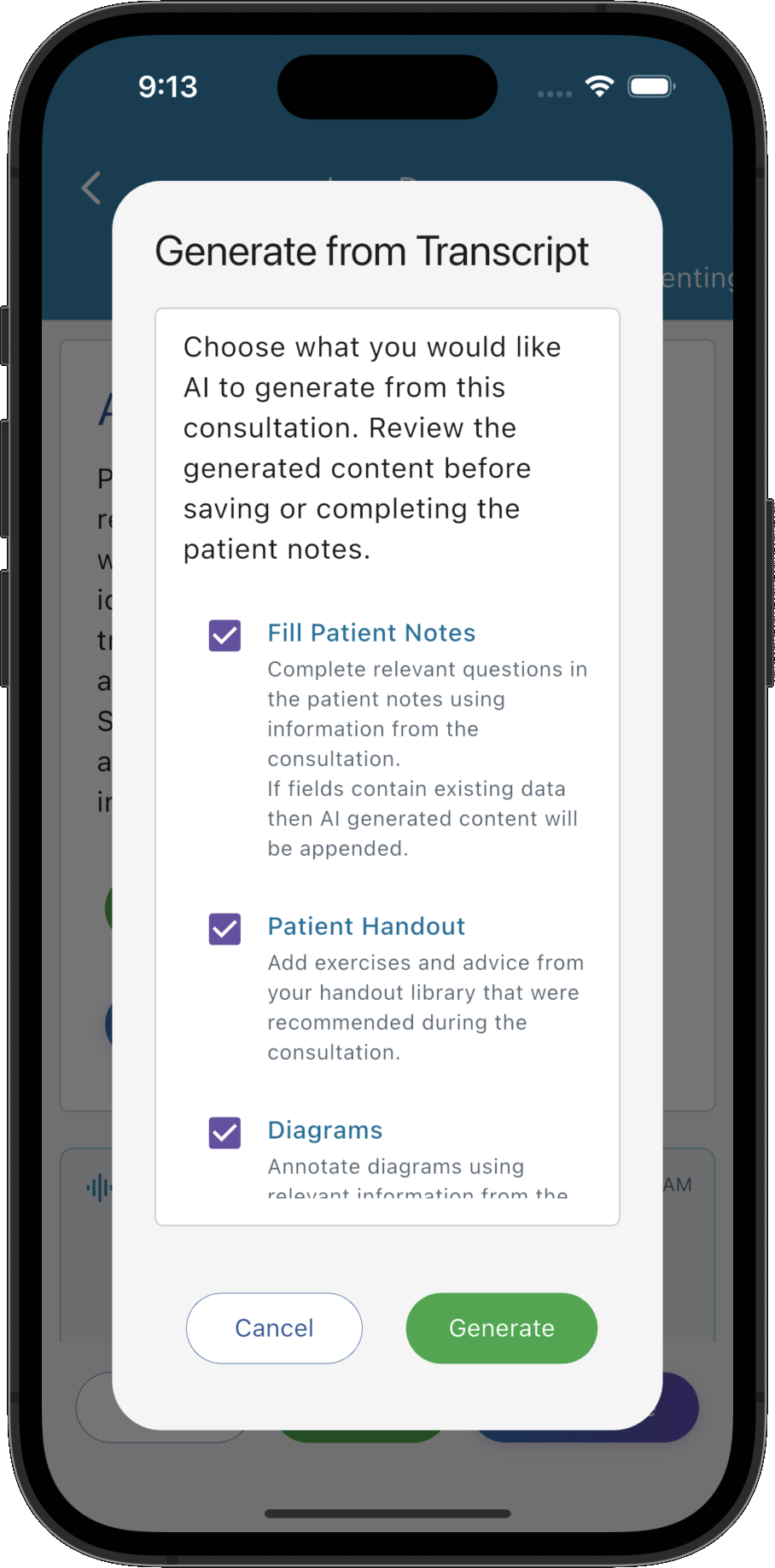
Click “Generate with AI” to turn the consultation transcript into patient notes in the format your practice uses. Choose whether to fill your notes, add patient handout items or generate annotated diagrams, then review and edit the results.
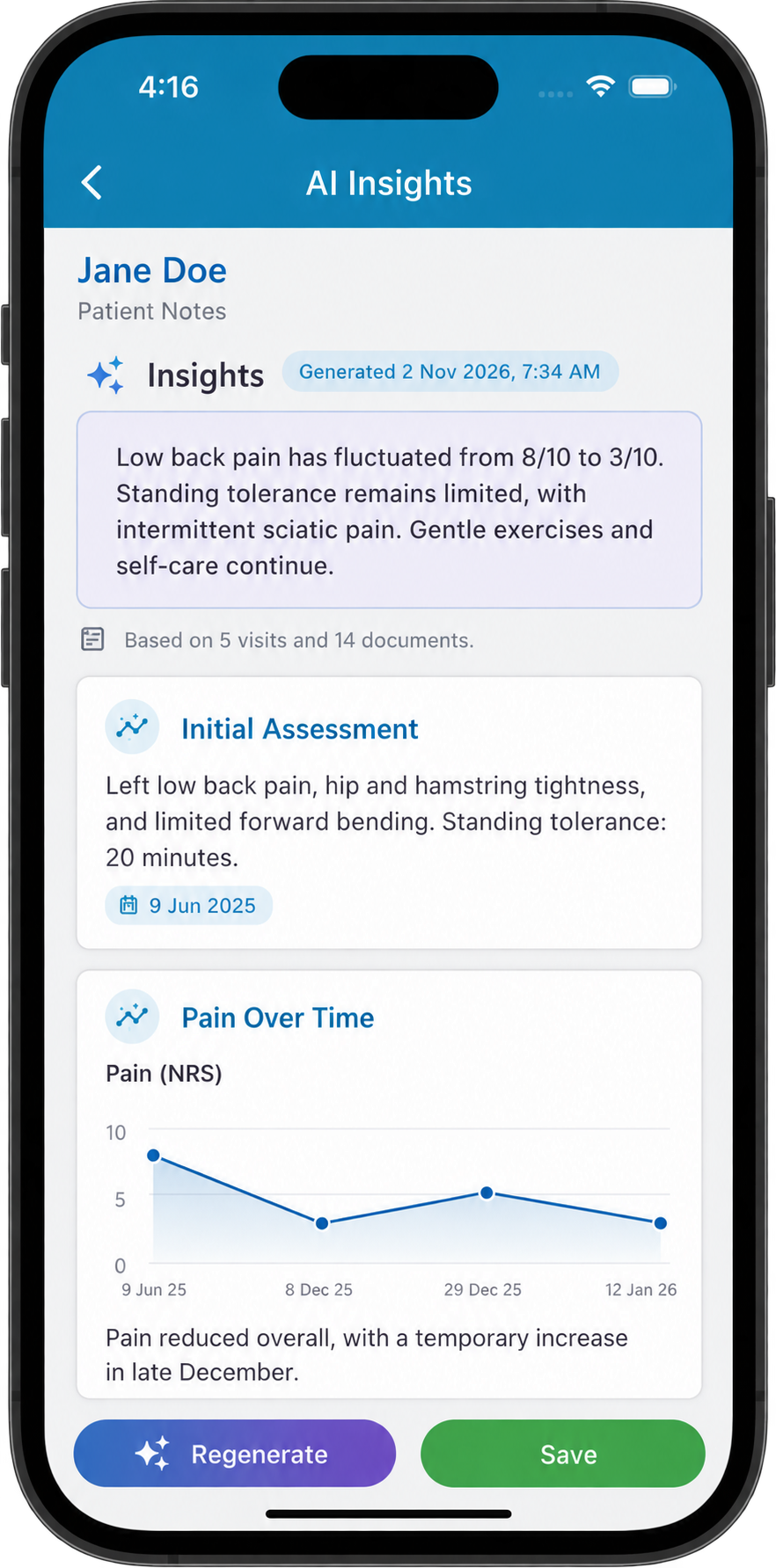
AI Insights have deep context across your patient's available notes and attached documents & files. Bring together the history across visits, referral letters, scan reports and pathology results to explore the questions that matter to you.
Set the focus with your own AI Hints, then review summaries, tables and charts with their supporting sources.
Explore AI Insights →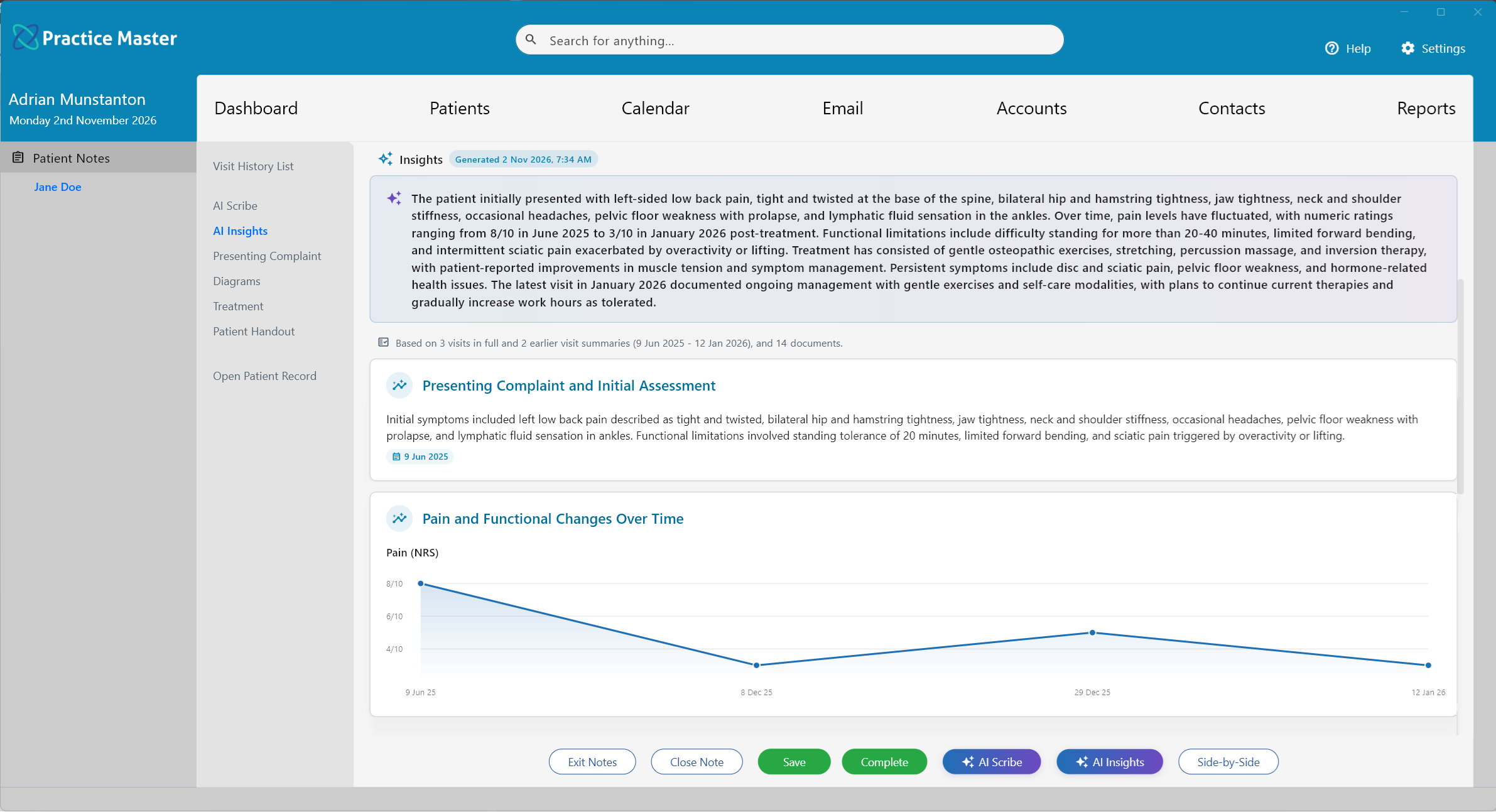
We pride ourselves on our privacy commitments. AI interactions are used only to provide the immediate results your practice requests.
For practices on Australian servers, AI processing stays entirely in Australia. UK/EU client data is processed entirely within the UK/EU.
Your practice's data is never used to train AI models, including patient conversations and information submitted for generation.
AI processing services remove data after producing the requested result. Voice recordings are used for transcription and removed after processing.
Ask about AI Scribe and AI Patient Notes for your practice, explore optional AI licence pricing and learn how our fair use policy supports everyday use.