Practice Master Pro Dietitian Software
Affordable software for Dietitians with optional AI, Patient Notes, Patient Bookings, Integrated Invoicing & Payment Processing, Email Integration and more. Practice Master Pro is an all in one solution for your practice comprising of powerful native desktop and mobile applications - all for a price comparable to our "website only" competitors.
Bring dietary assessments, patient goals and practical dietary advice into a connected consultation workflow.
Take your dietitian practice to the next level by giving your team powerful multi-tasking software.
How Are We Different?
Practice Master Pro combines native apps with a cloud-hosted backend for your dietetics clinic. Work through dedicated Windows, Mac, iOS and Android apps while authorised team members access the same current practice information.
High Quality Native Apps
Enjoy high quality native apps for Windows, Mac, iOS and Android, with a polished experience designed for each platform. Work from your desktop, laptop, tablet or phone while keeping your team connected to the same current practice information.
Superior Multi-Tasking Desktop Environment
Our full desktop multi-tasking application lets you work more efficiently on multiple things simultaneously. Fully integrated workflows and shortcut menus give you the edge - and you don't need to work in a website all day!
Fully Integrated Email
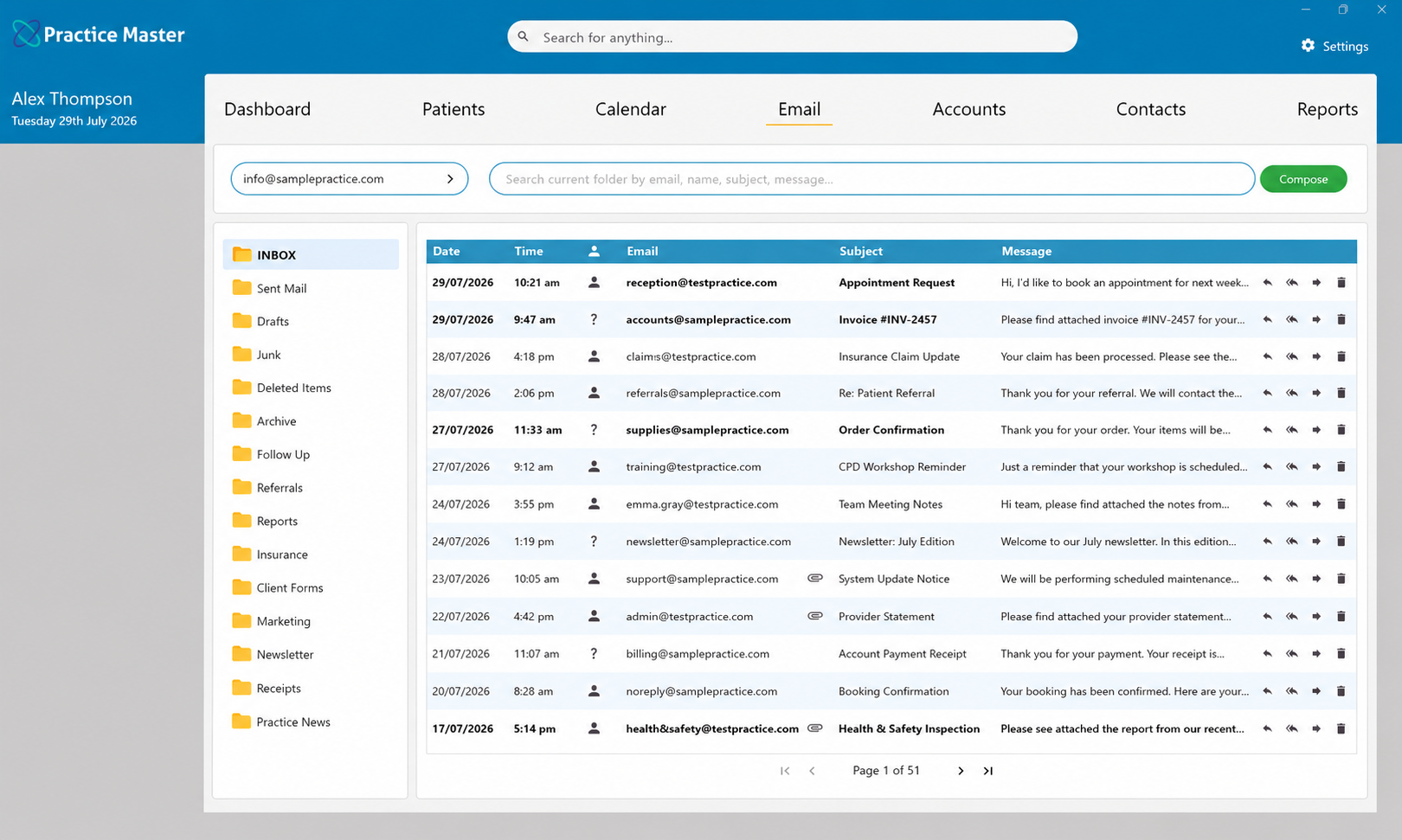
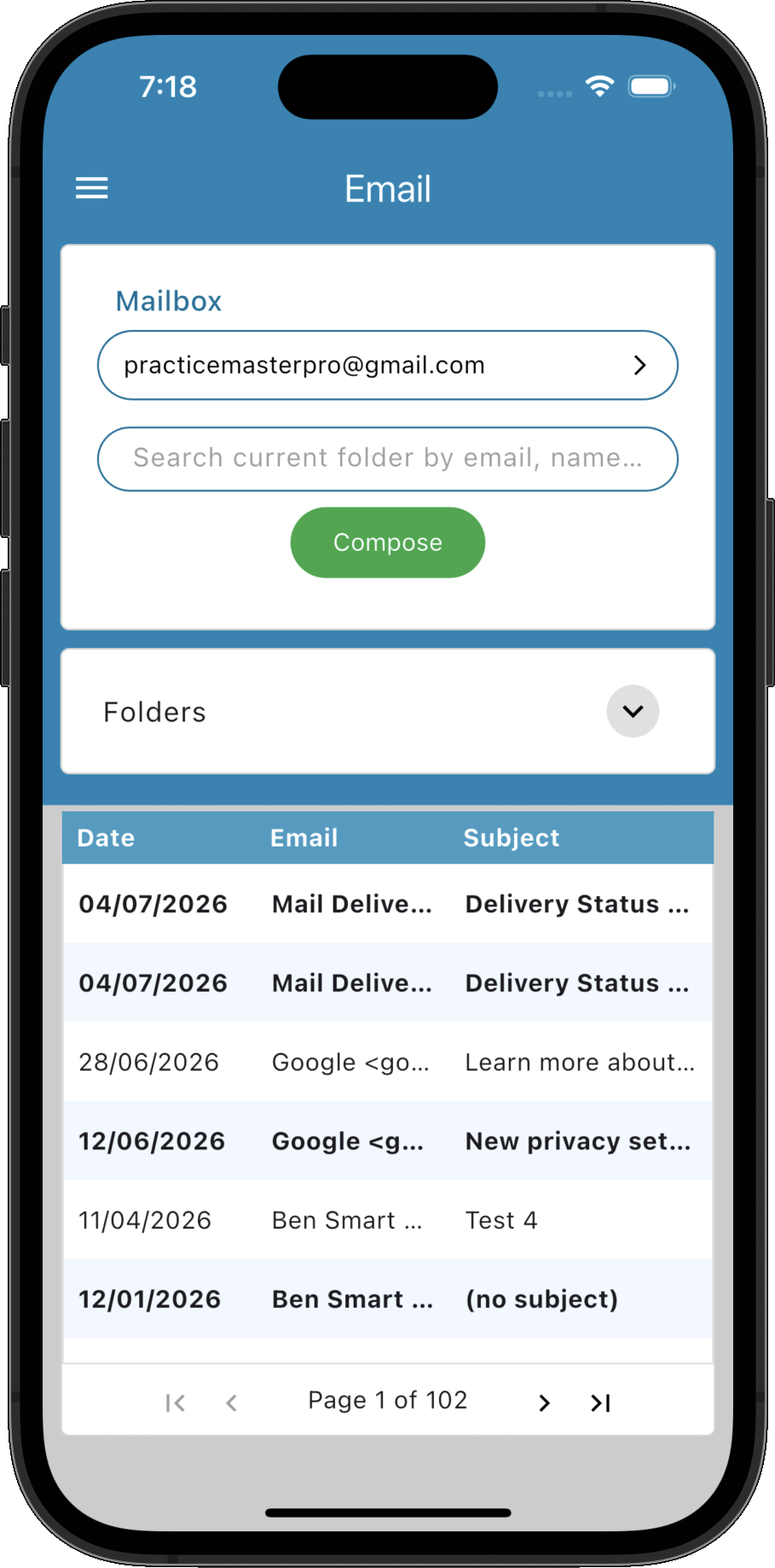
Manage your practice inbox directly within Practice Master Pro. Automatically match incoming emails to patients and contacts, review correspondence alongside their records, and reply using personalised templates—all without switching applications.
Features Specifically for Dietitians
Support every consultation, from assessment to follow-up. Bring dietary assessments, patient goals and practical nutrition advice into a connected consultation workflow.
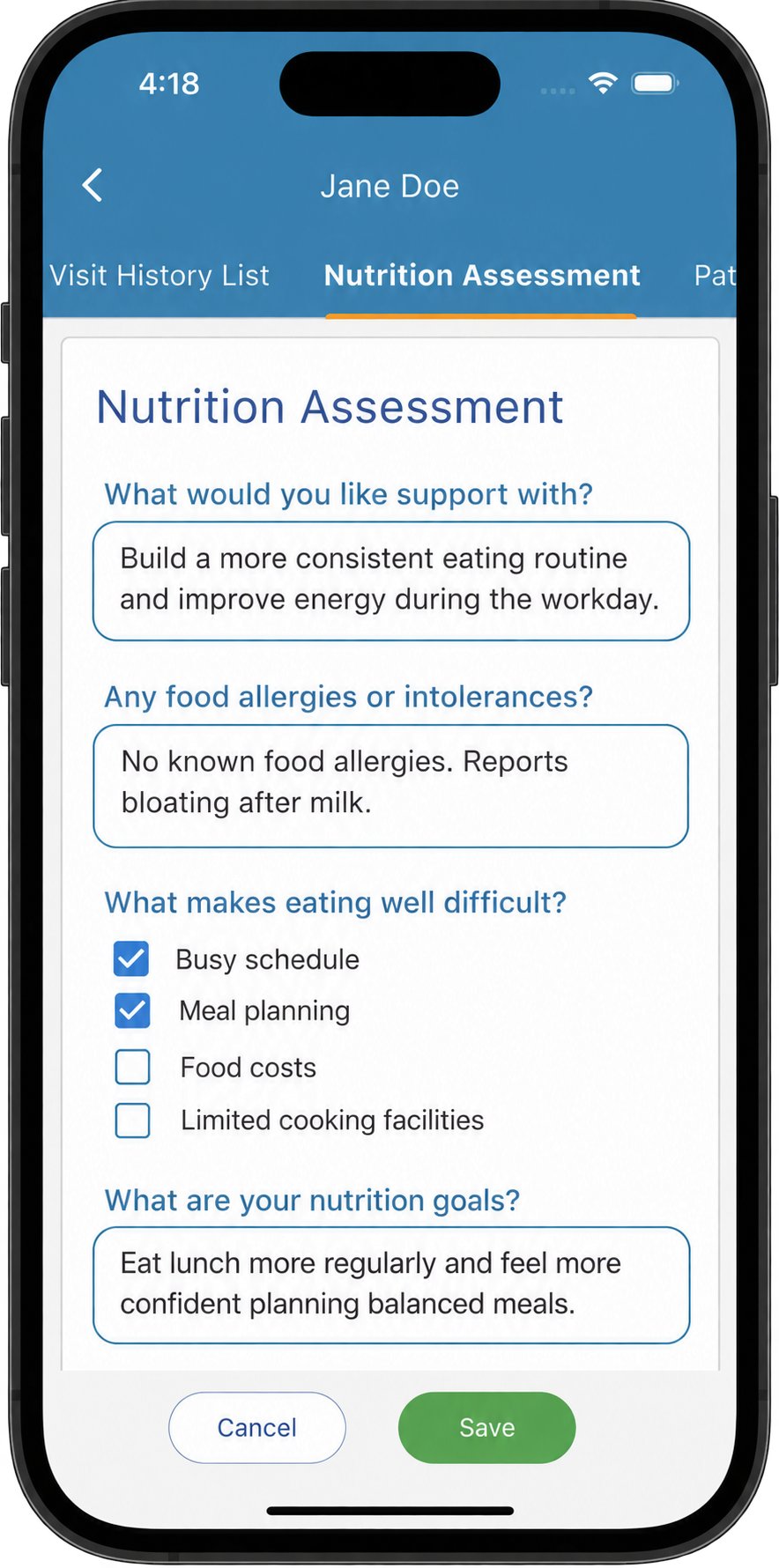
Capture the dietary assessment your consultation needs
Create forms for dietary history, eating patterns, relevant health information and patient goals. Adapt initial assessment and review templates, with predefined answers for recurring details and free text for the individual context behind each nutrition plan.
Explore patient notes →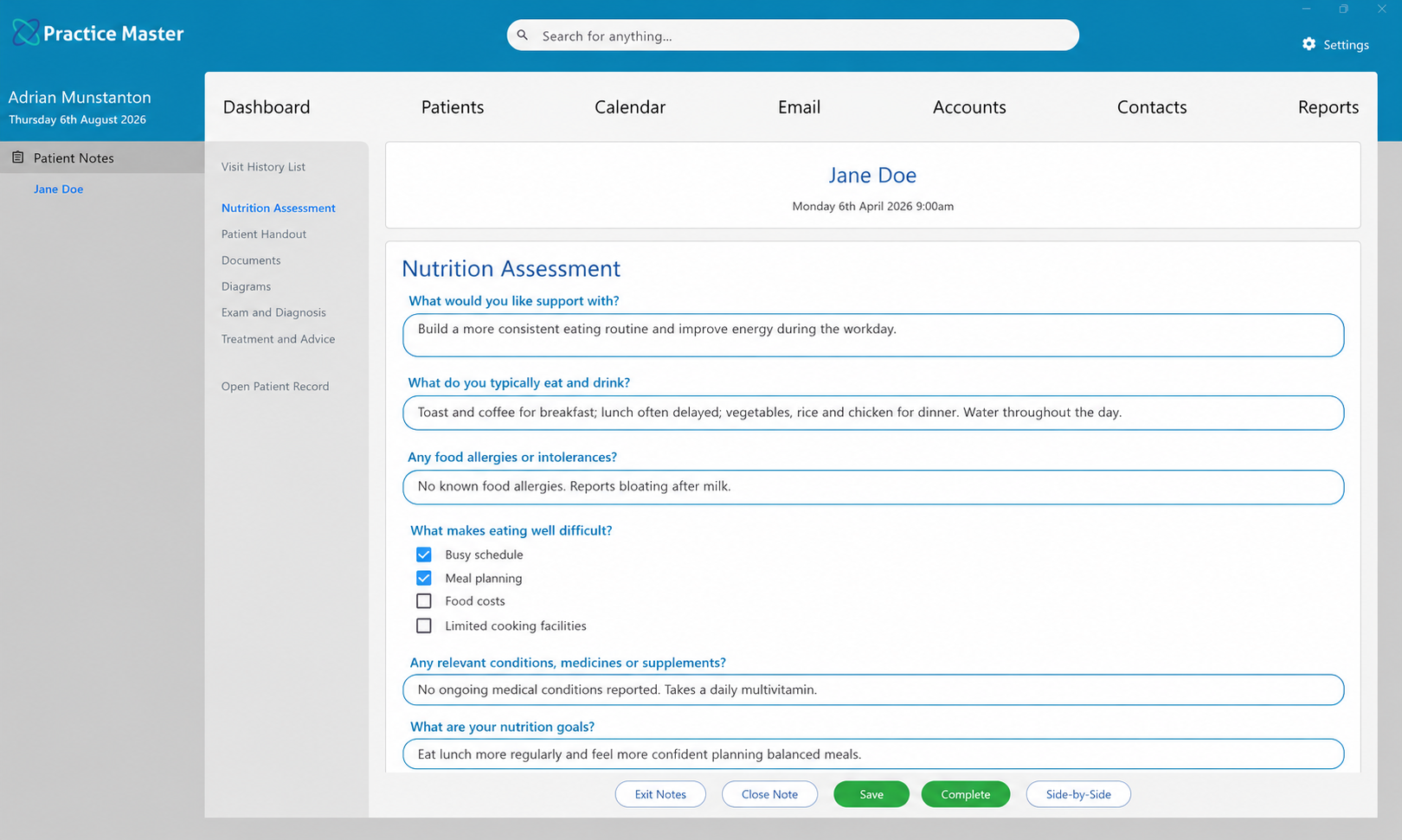
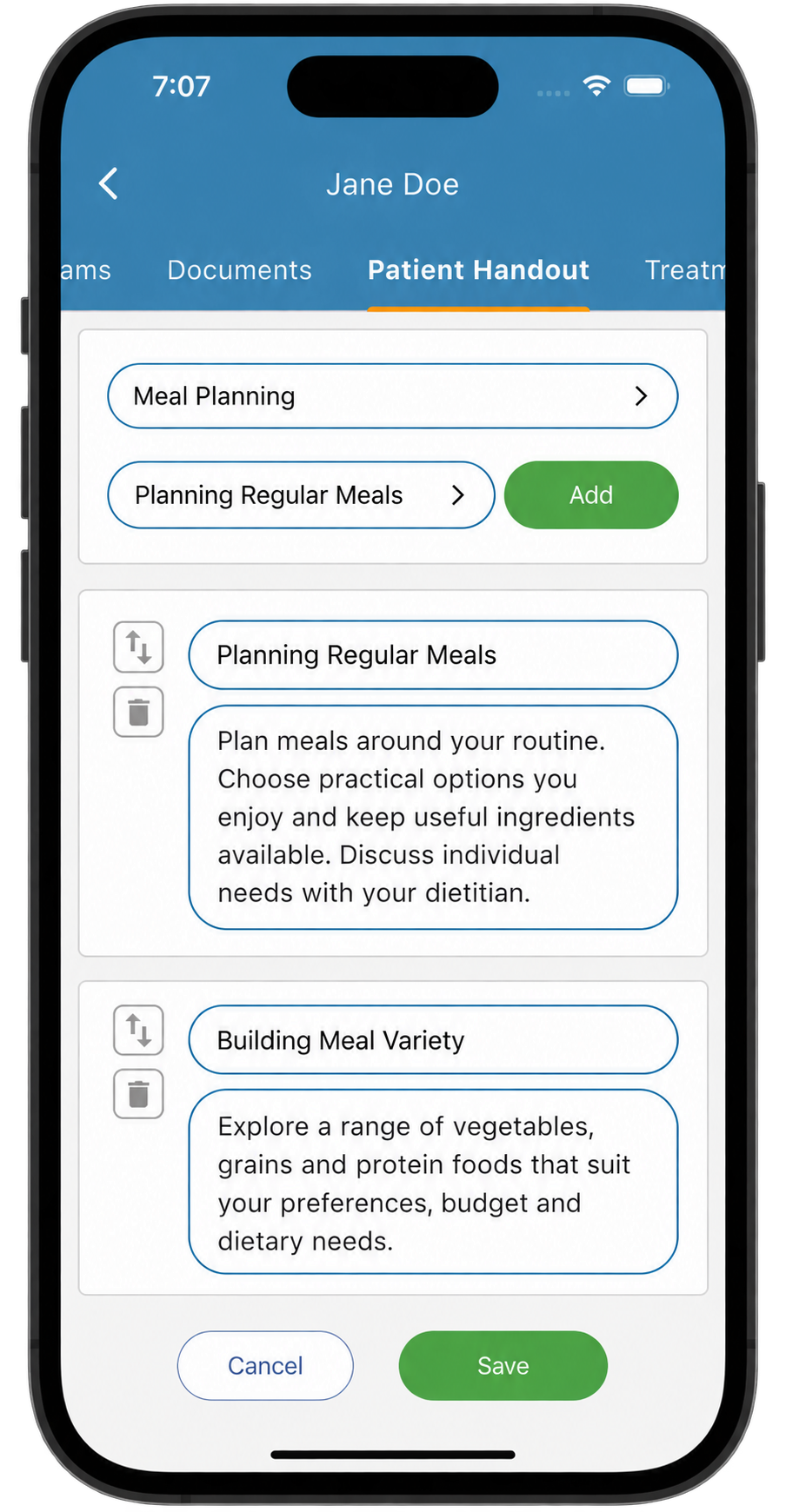
Turn nutrition advice into practical take-home guidance
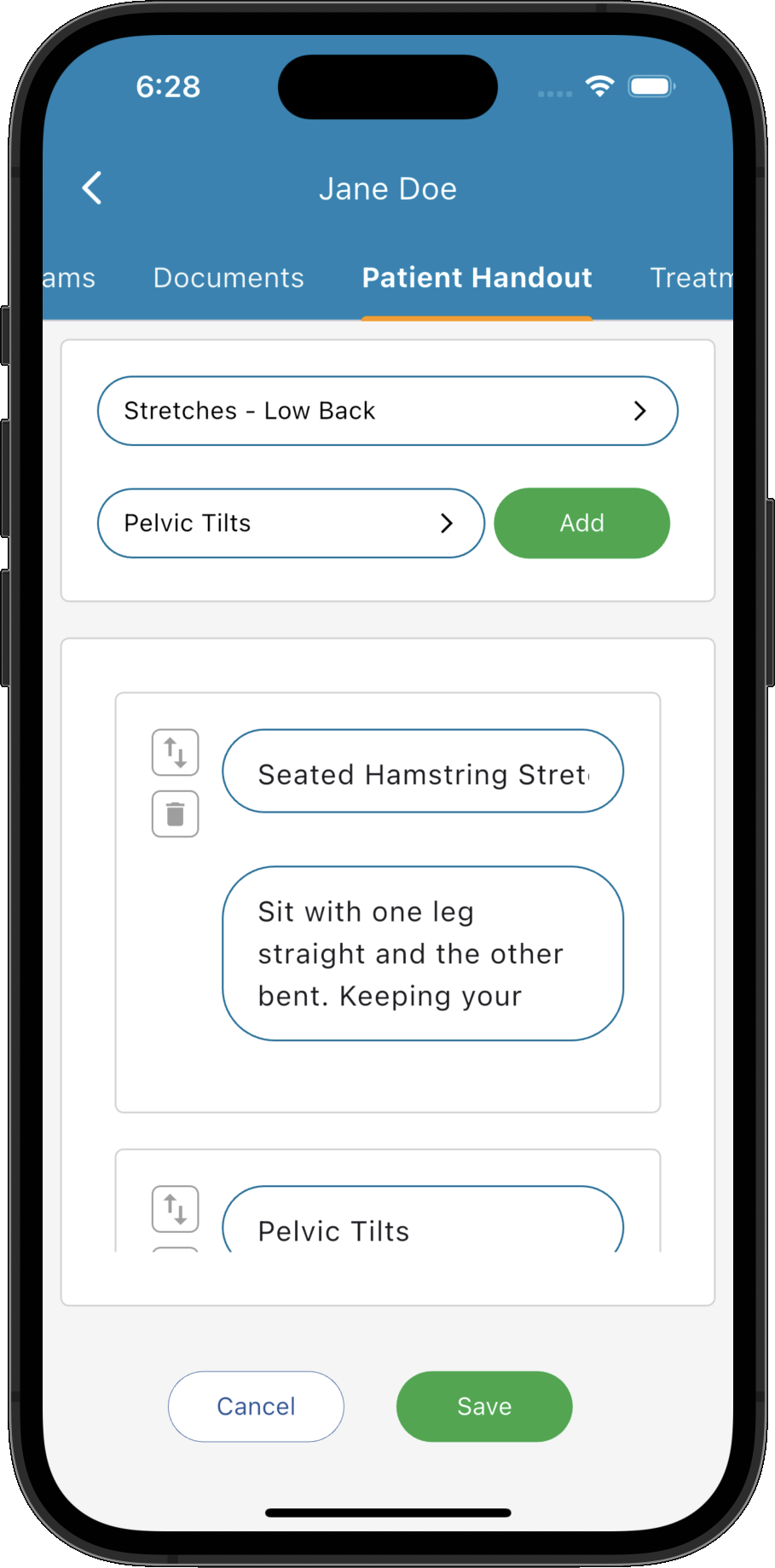
Build personalised handouts from your own dietary recommendations, food-choice guidance and meal-planning resources. Select the advice discussed during the consultation and print or email it, giving patients a clear reference for the changes you have agreed.
Explore patient handouts →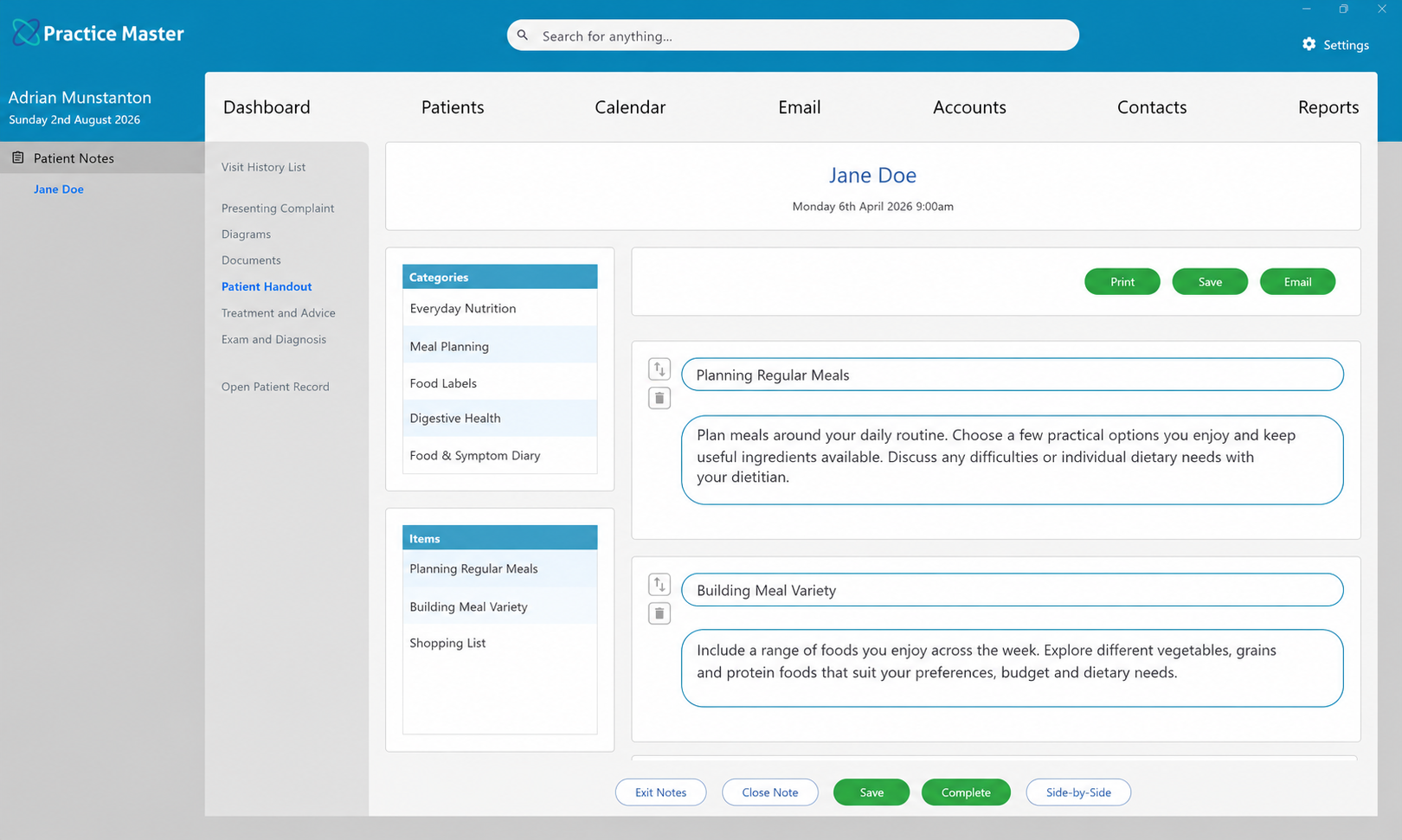
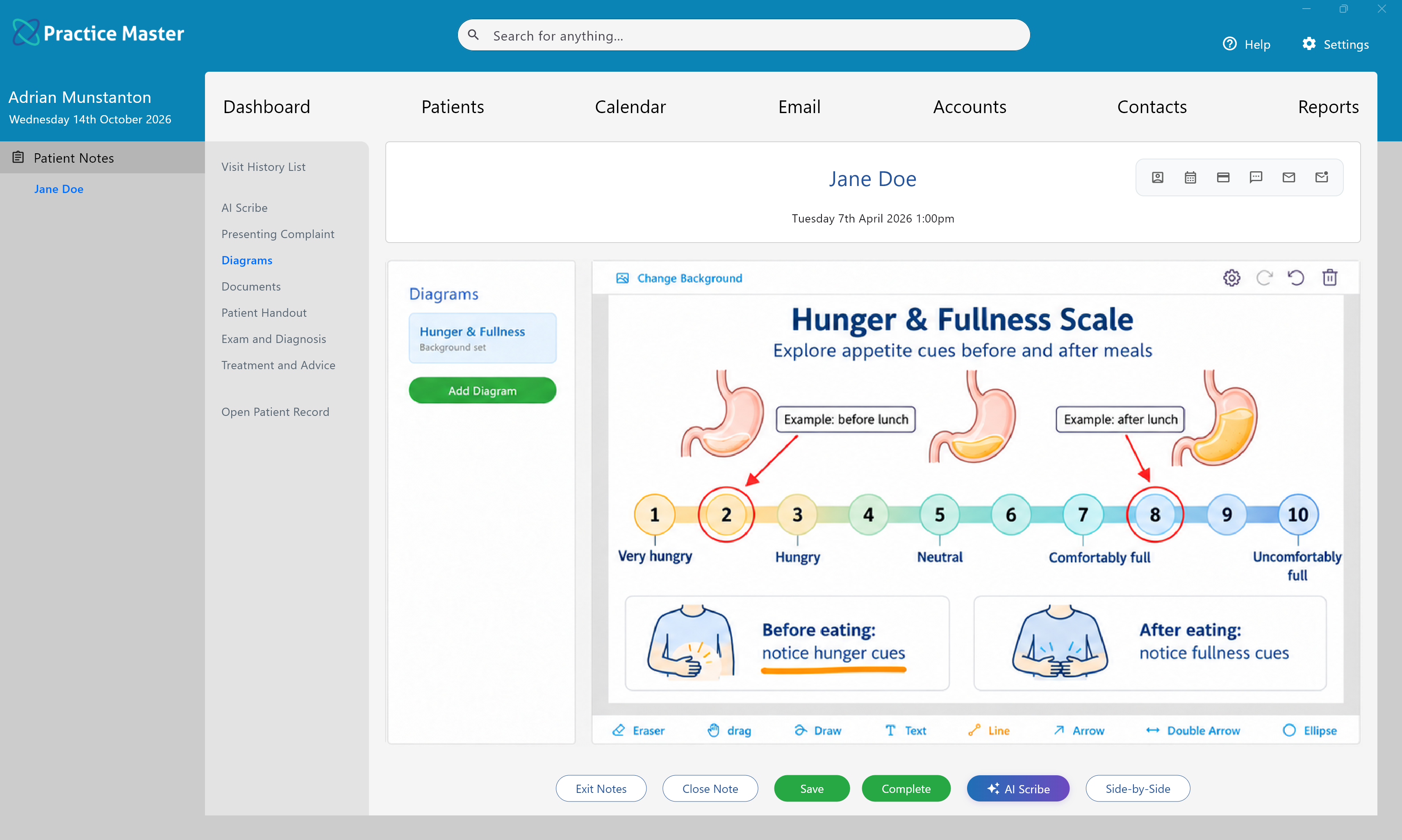
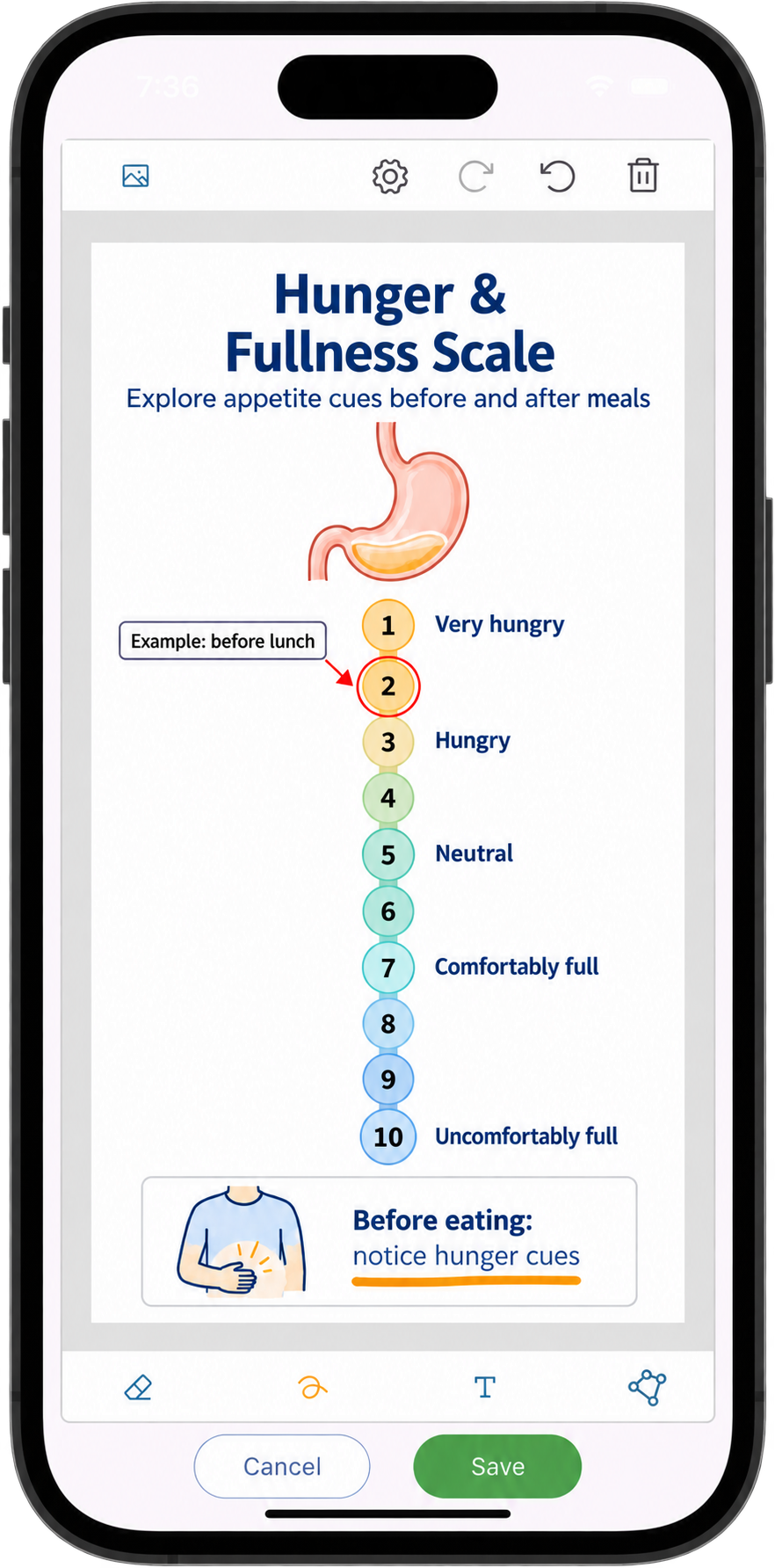
Use your own visual resources to explain recommendations
Add your own diagram backgrounds and annotate them during the consultation. Keep the visual explanation alongside your assessment notes, so you can revisit the same discussion when reviewing food choices, eating patterns or goals at the next visit.
Explore patient notes and diagrams →
Keep practical nutrition resources ready to share
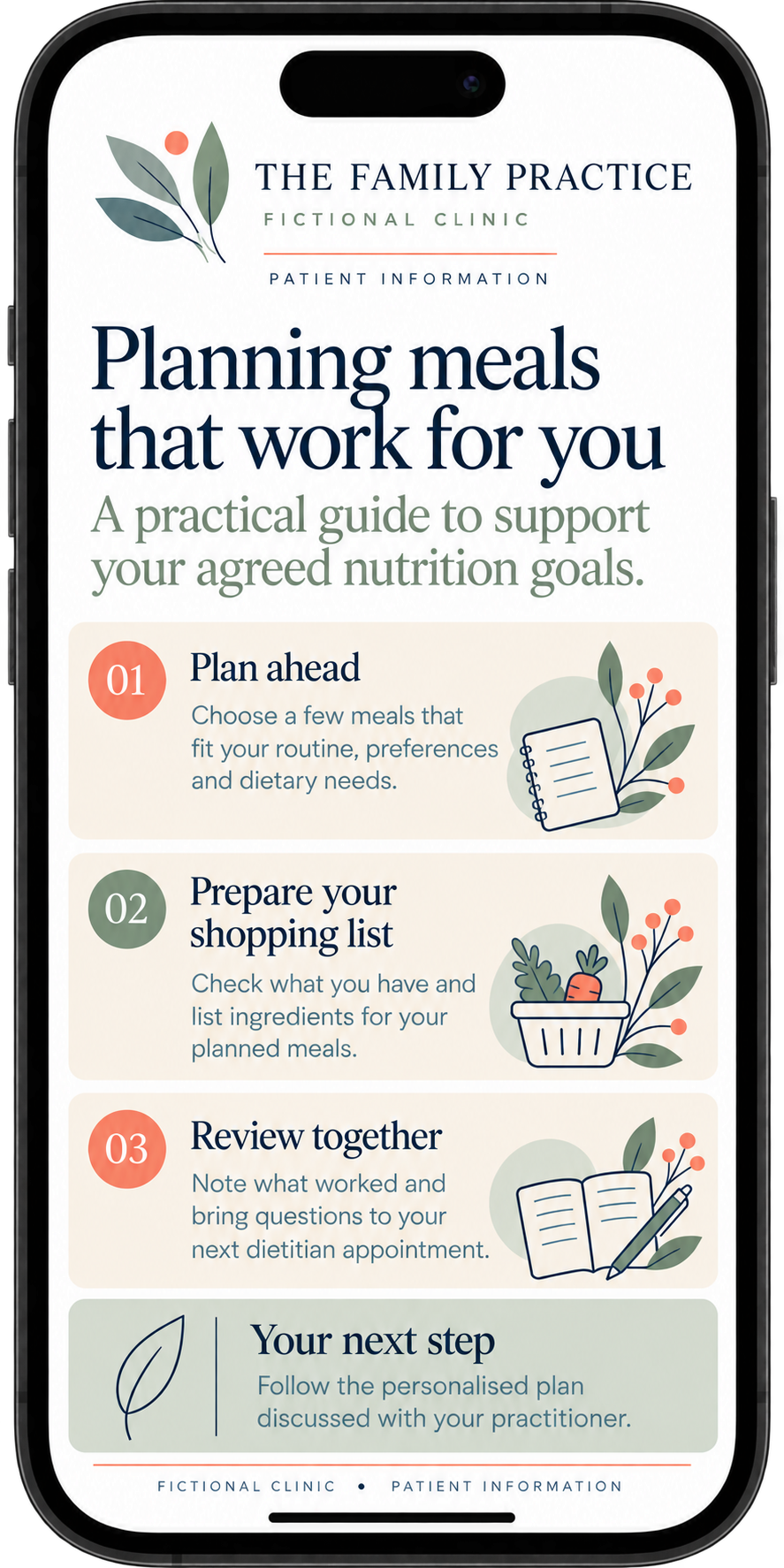
Keep your own nutrition information sheets, food-label guides, meal-planning resources and dietary education documents together in Practice Master Pro. Import existing PDFs, documents and images, attach relevant resources to consultation notes, then print or email them to patients. Use these prepared resources alongside the personalised handouts you build during each visit, giving patients clear guidance to refer to between appointments.
Explore patient documents and templates →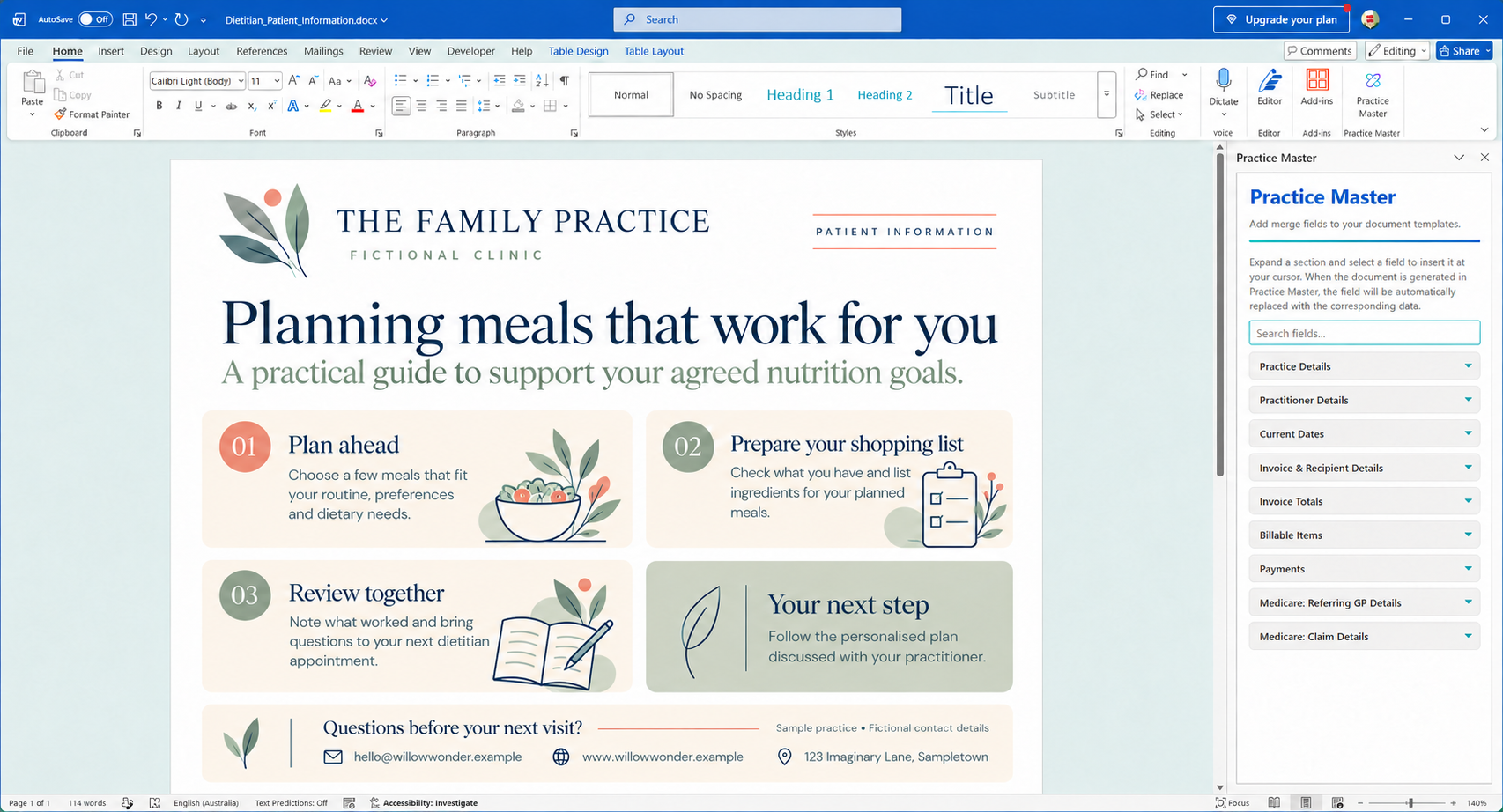
Keep nutritional recommendations with the consultation
Where nutritional supplements or other preparations form part of your dietetic care, use the dedicated prescriptions area to record your recommendations alongside the patient record and consultation notes. Keep those details connected to the dietary assessment and advice that informed them.
Review previous entries when preparing for a follow-up, so you can see what was recommended and document changes as the patient's nutritional needs and care plan develop.
Explore prescriptions and patient notes →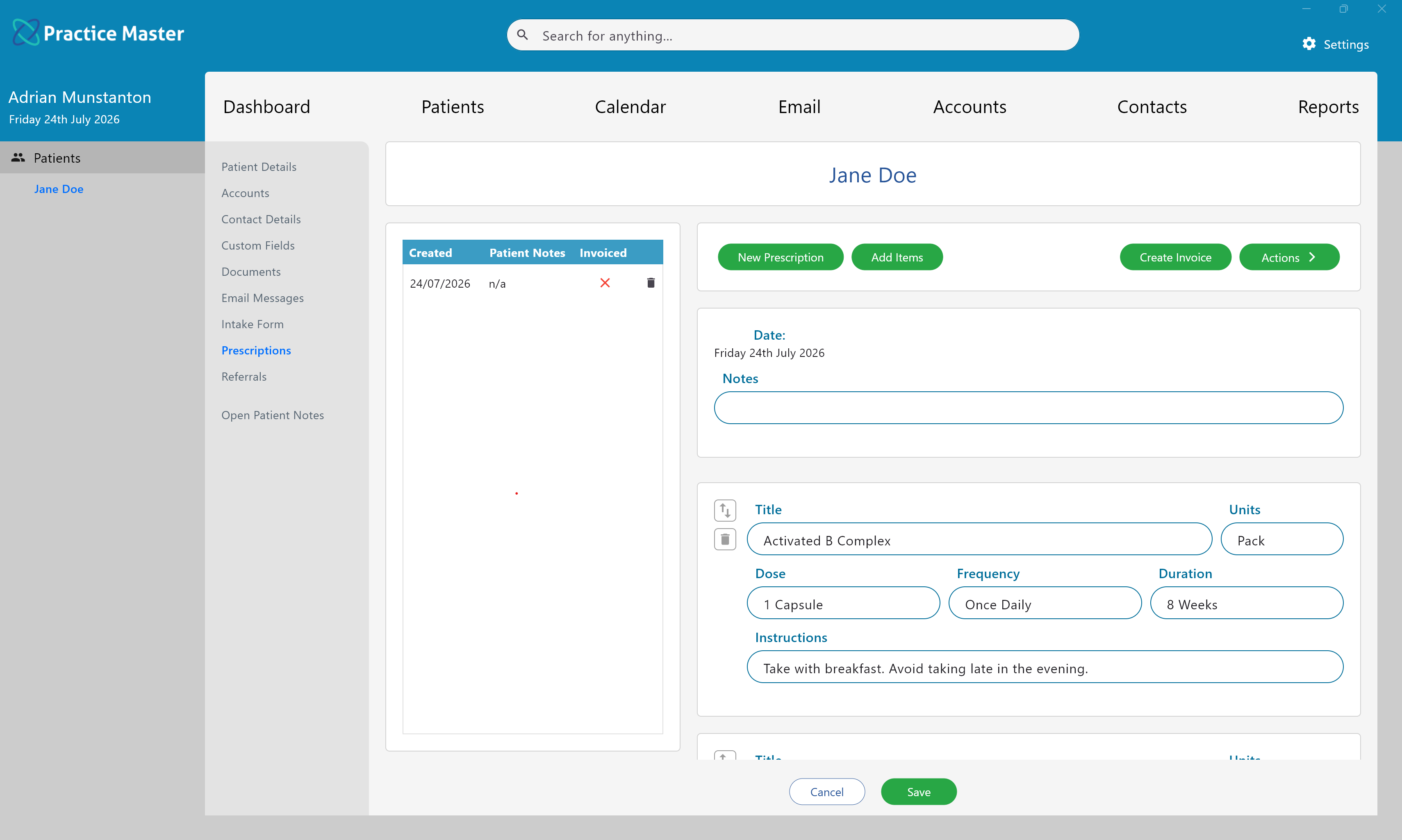
Focus on the dietetics consultation with optional AI Scribe
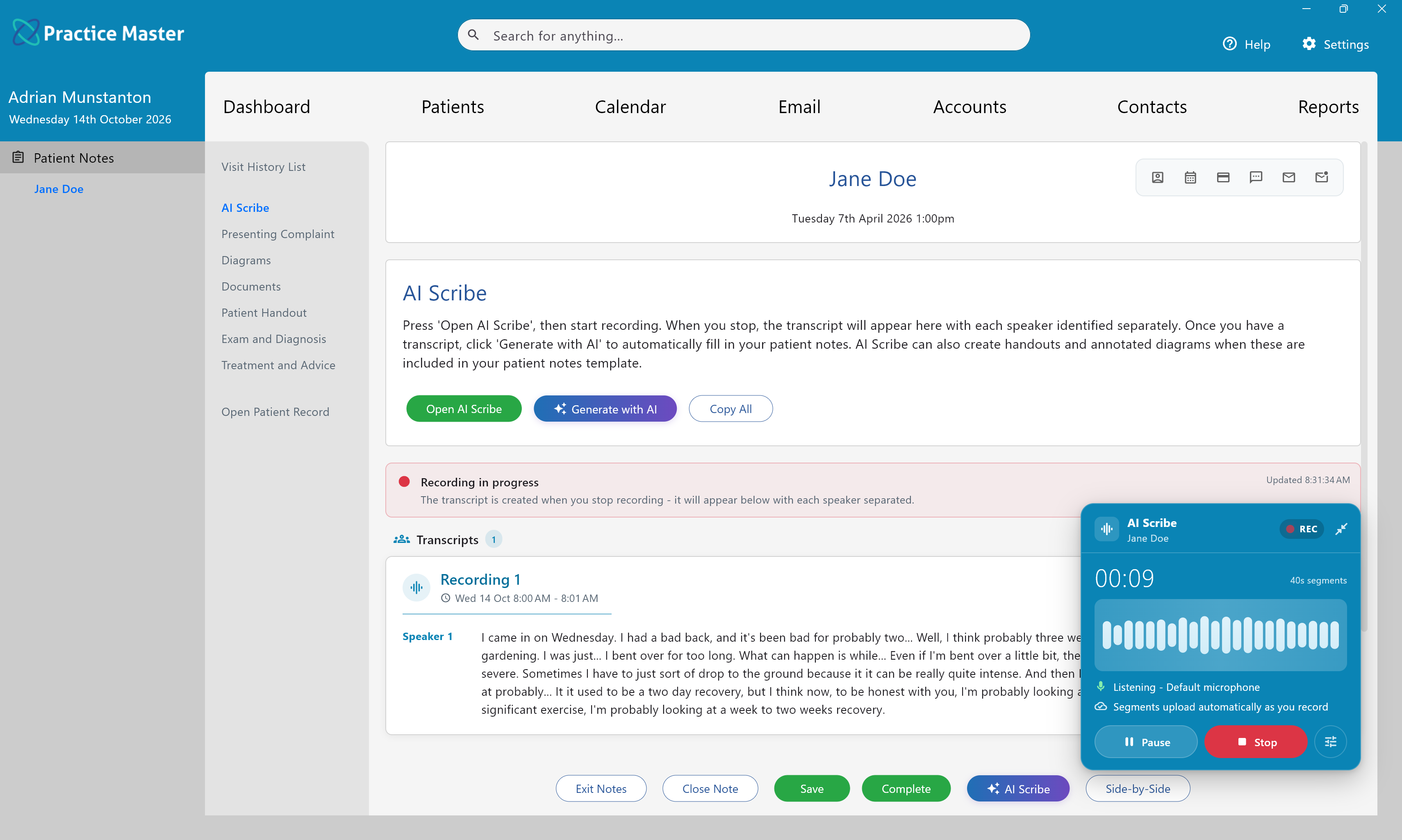
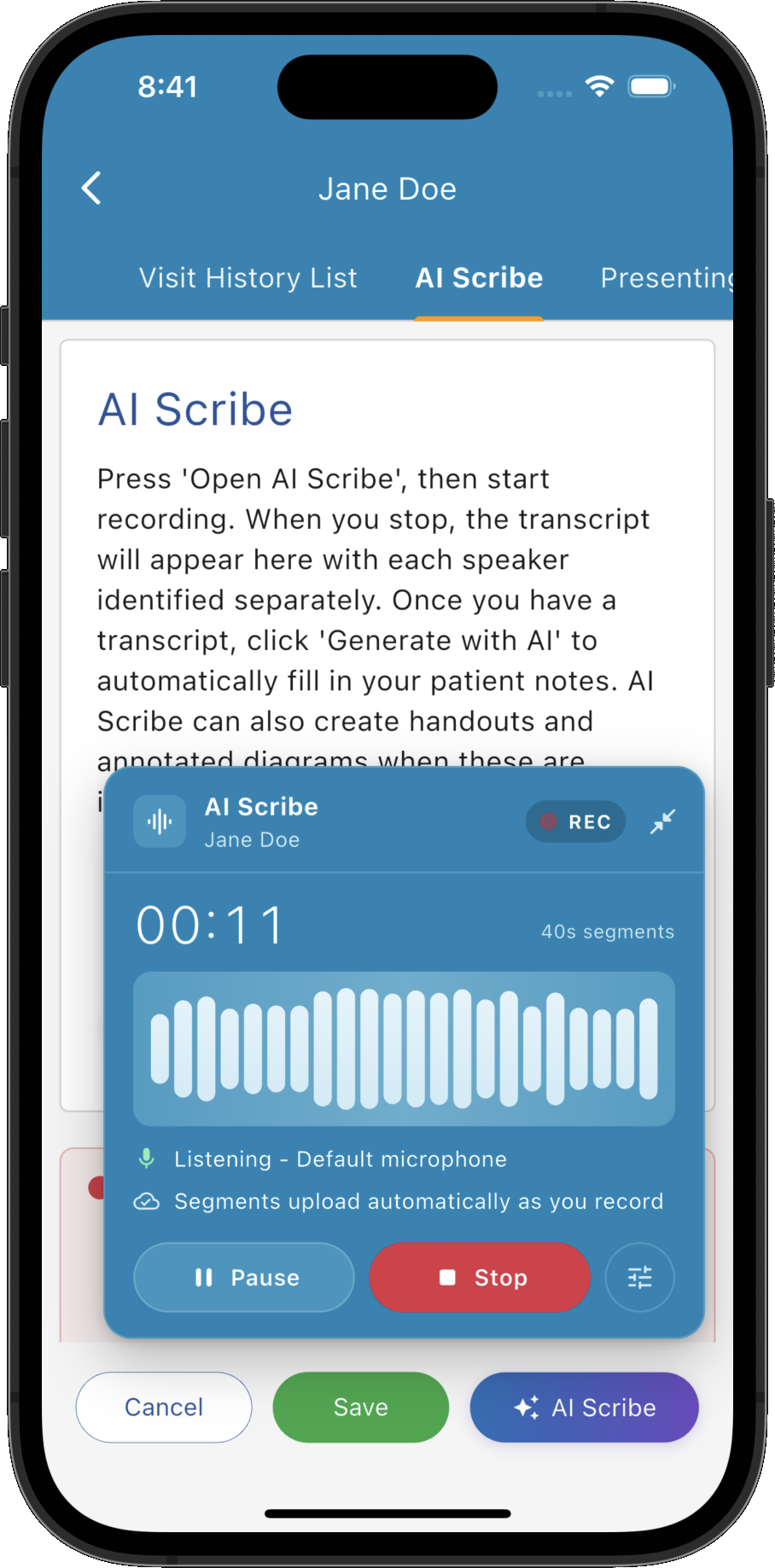
Record the consultation from within your patient notes and receive a transcript ready to use when preparing your clinical record. Keep your attention on the discussion of dietary history, agreed nutrition goals and review plans, then use the transcript as a reference when documenting the visit.
Optional AI licence required; excluded from the standard free trial.
- ✓ Start recording within your patient notes workflow
- ✓ Keep recording while you navigate through the app
- ✓ Record a session at once or add further recordings
- ✓ Access the transcript directly in your patient notes
Generate draft notes in your dietetics templates
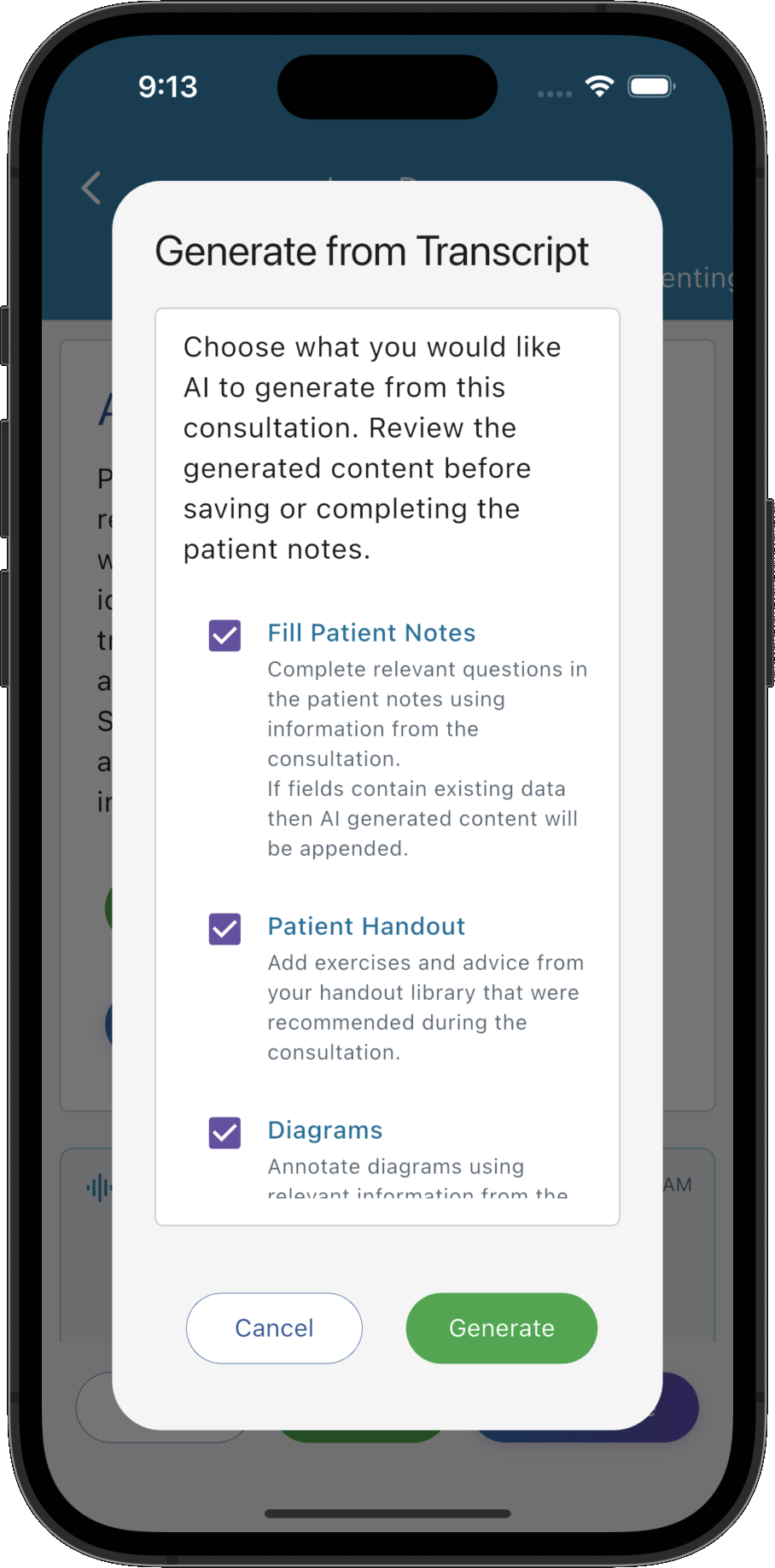
Turn the consultation transcript into draft notes using the dietetics templates you have configured. Populate supported text fields, lists and multiple choice questions for details such as dietary history, agreed nutrition goals and review plans. Review and edit every draft using your clinical judgement before finalising the record.
- ✓ Generate notes in the custom templates your clinic uses
- ✓ Populate text fields, custom lists and multiple choice questions
- ✓ Choose options for library handouts and annotated diagrams
- ✓ Review and edit generated content with your clinical judgement
AI Scribe and AI Patient Notes require an optional AI licence. They are not included in the standard free trial.
Explore AI Patient Notes generation →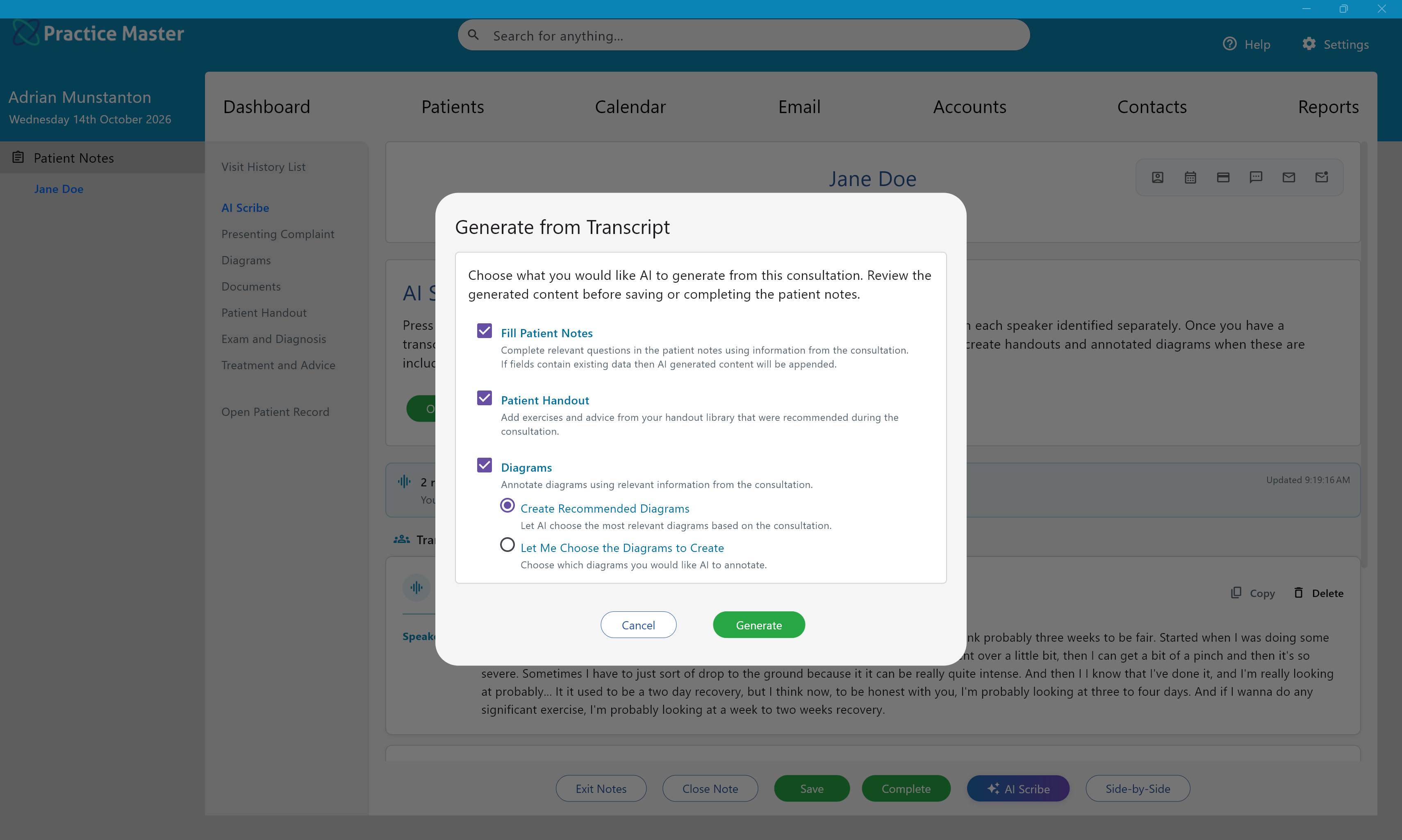
Keep the rest of your clinic moving too.
Bring bookings, patient correspondence and invoicing into the same system as your treatment notes.
Keep everyday tasks open together
Use the desktop app's multi-window workspace to move between your diary, patient notes and invoices during a busy clinic day.
Keep billing connected to patient care
Create invoices and send them directly from your practice system, with patient accounts close at hand when you need to answer a payment question.
Work across your devices
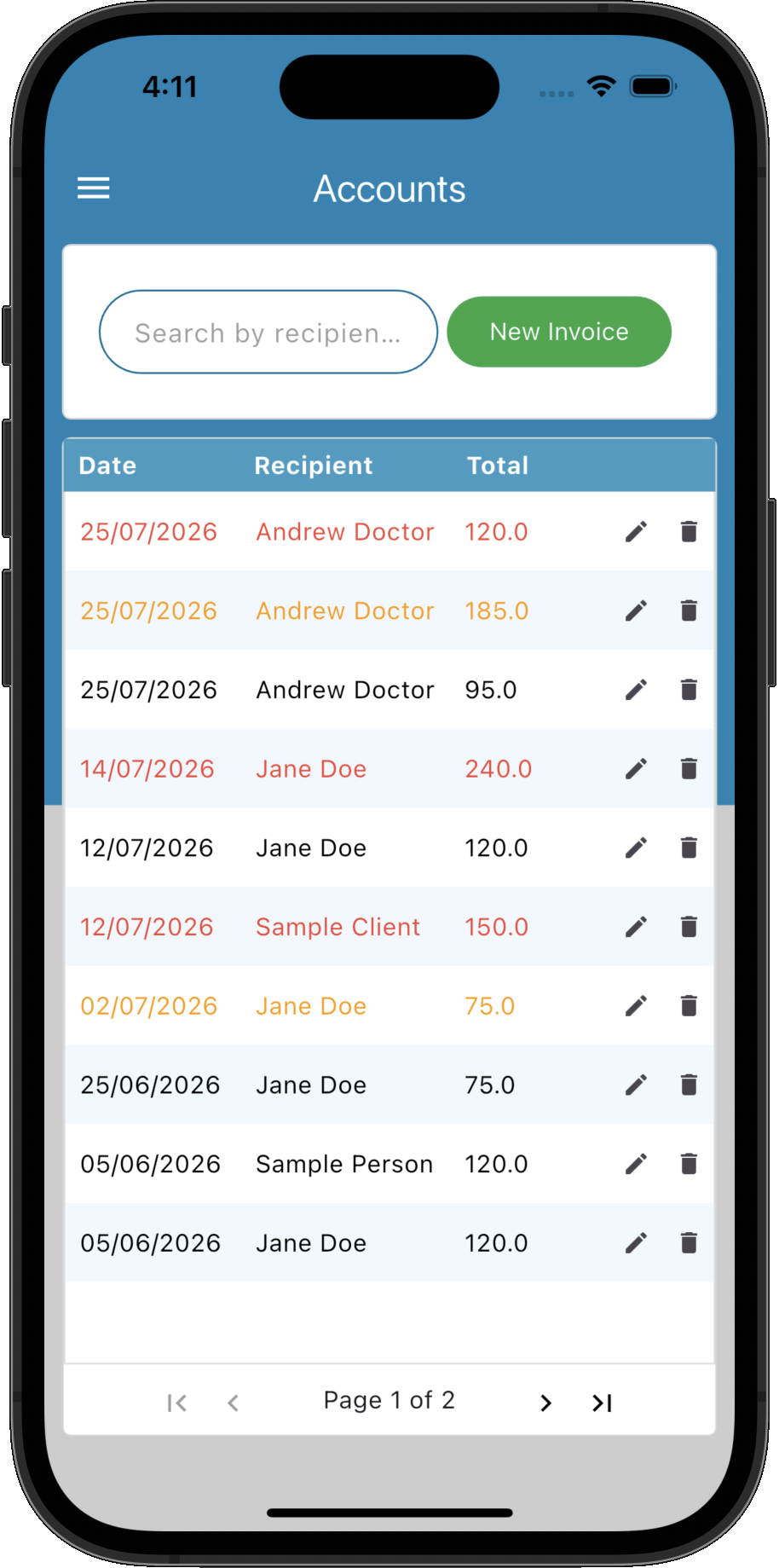
Use dedicated Windows, Mac, iOS and Android apps, with authorised team members connected to the same current practice information.
Your inbox, connected to the whole patient story.
When a patient emails about their next treatment, aftercare or an invoice, the context you need is already in your clinic software. Practice Master Pro brings your existing email accounts into the same application as your dietetics notes, diary and billing, so you can follow the conversation and act on it in one place.
Incoming messages are matched to patients and contacts, with sent and received correspondence available from their records. Prepare personalised replies using reusable templates, merge fields and standard attachments, whether you're welcoming a new patient or sharing treatment preparation advice.
- ✓ Open the matched patient record directly from an email
- ✓ Review earlier conversations before replying
- ✓ Reuse personalised templates with your usual attachments
- ✓ Manage reception and practitioner mailboxes together
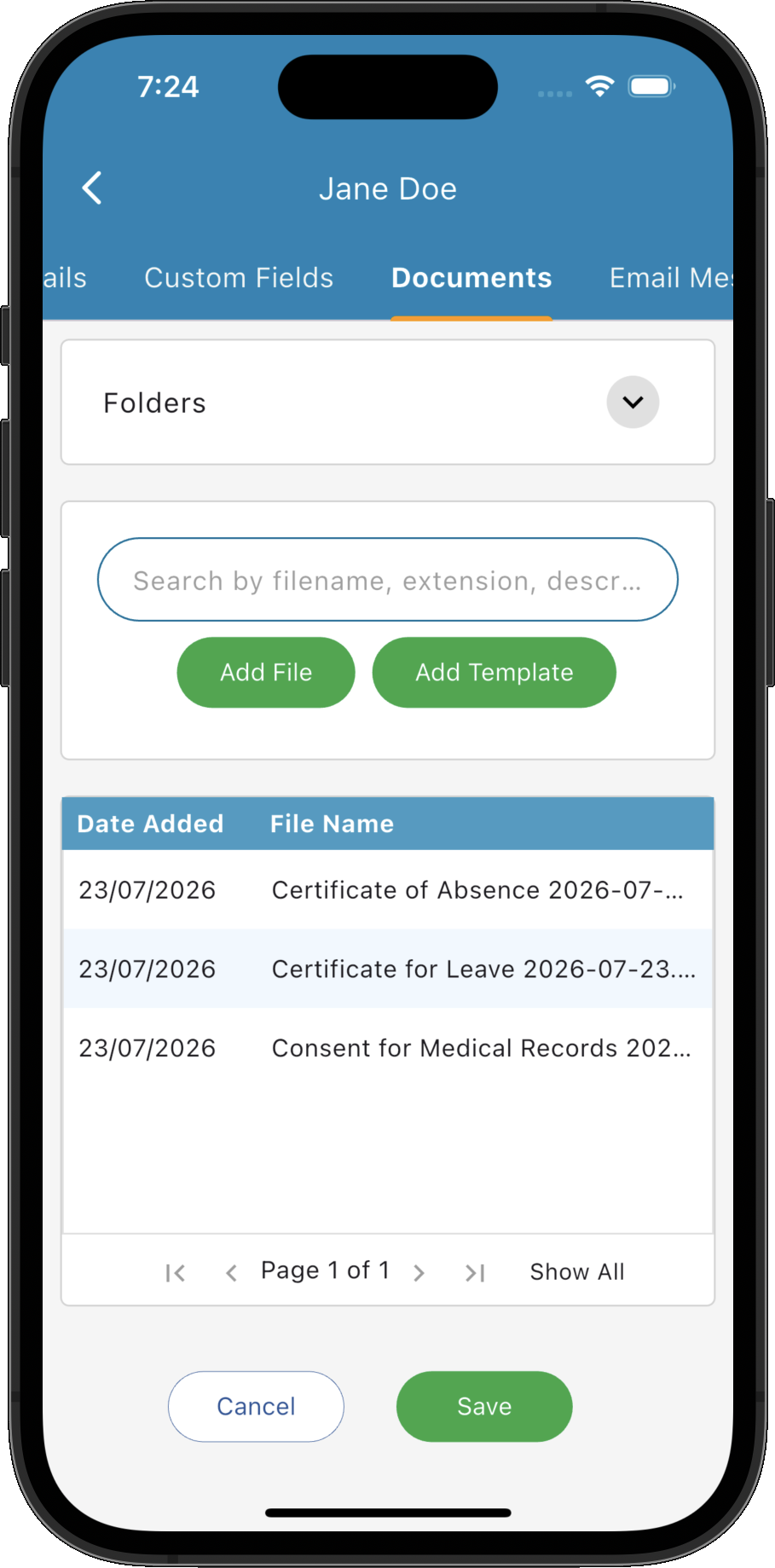
Keep patient documents and everyday files organised
Keep patient documents, letters and commonly used files close at hand in Practice Master Pro. Use right-click menus to email files, convert documents to PDF and access everyday file actions without interrupting your workflow.
Save incoming email attachments directly to the patient's documents and letters area with a simple right-click, keeping the files you receive alongside the rest of their record.
Explore document and file management →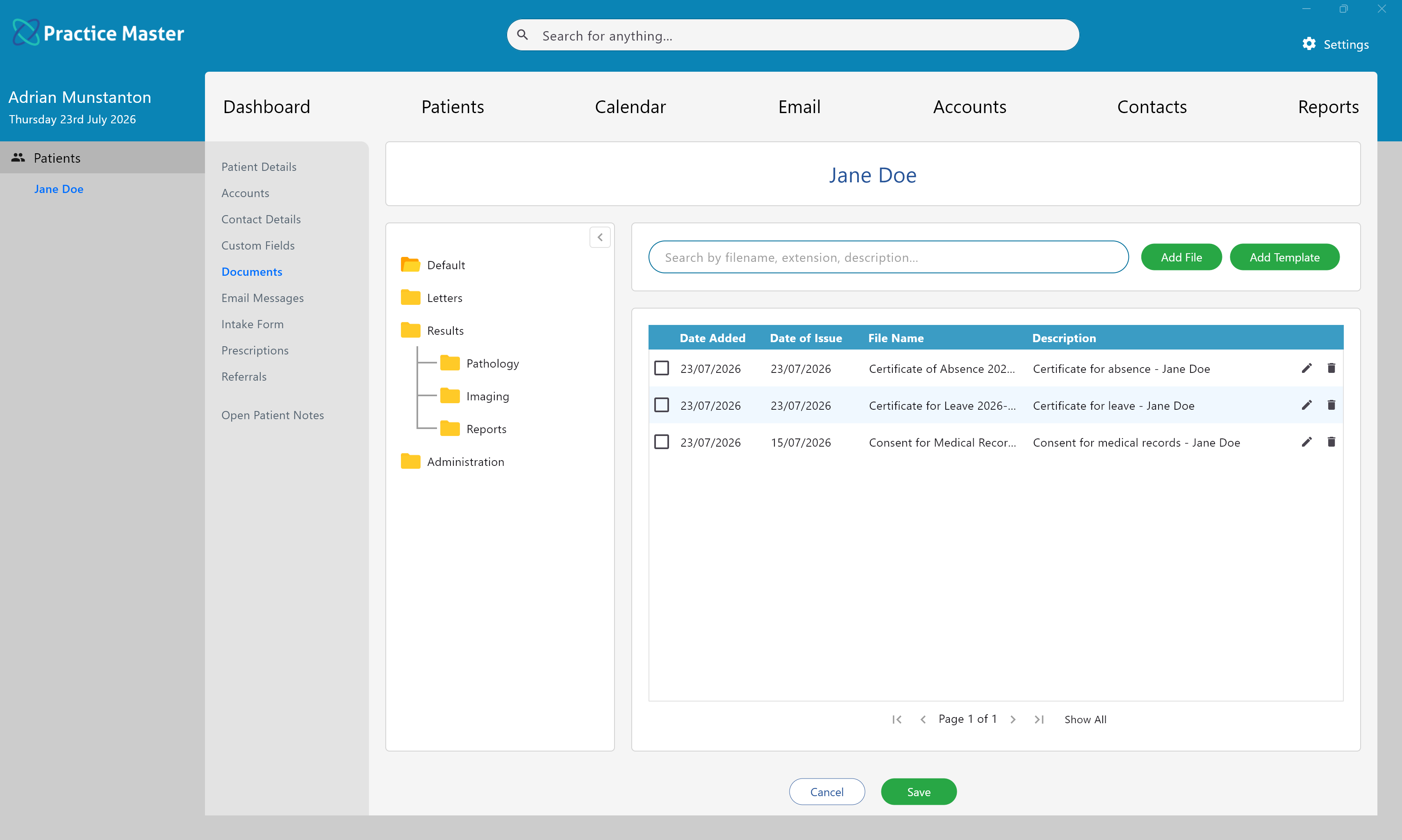
Coordinate appointments across consulting spaces
Organise assessments and review appointments around practitioner and room availability. View schedules by practitioner or room, helping your team coordinate shared consulting spaces and appointments across practice locations.
Explore appointments, rooms and locations →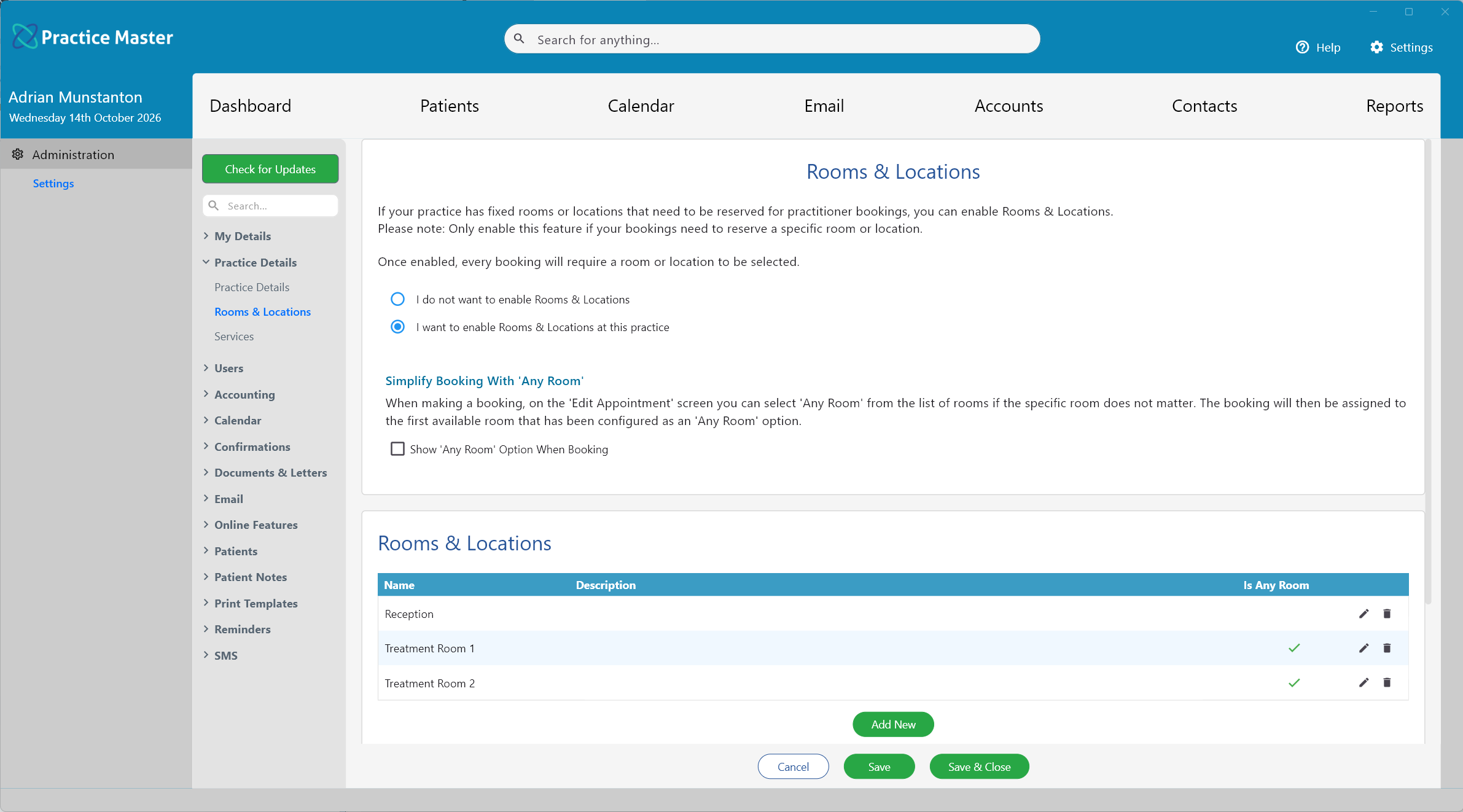
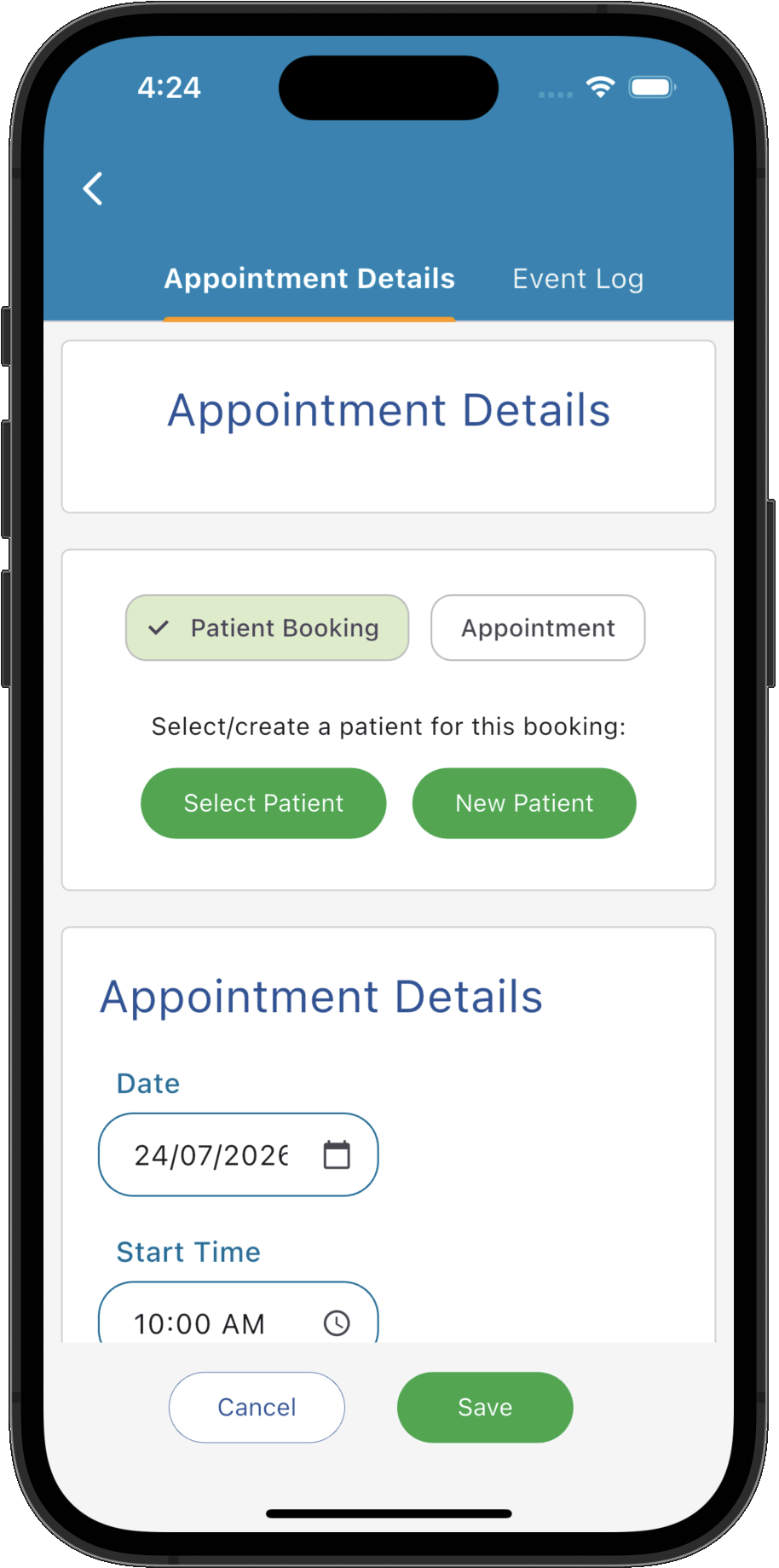
Keep your diary full and your team in step
Let patients book online, with appointments connected to your clinic diary and patient records. Automate email and SMS reminders to keep upcoming visits in view, and give reception and practitioners the same current booking information. SMS messages use separately purchased credits.
Explore online bookings and appointment reminders →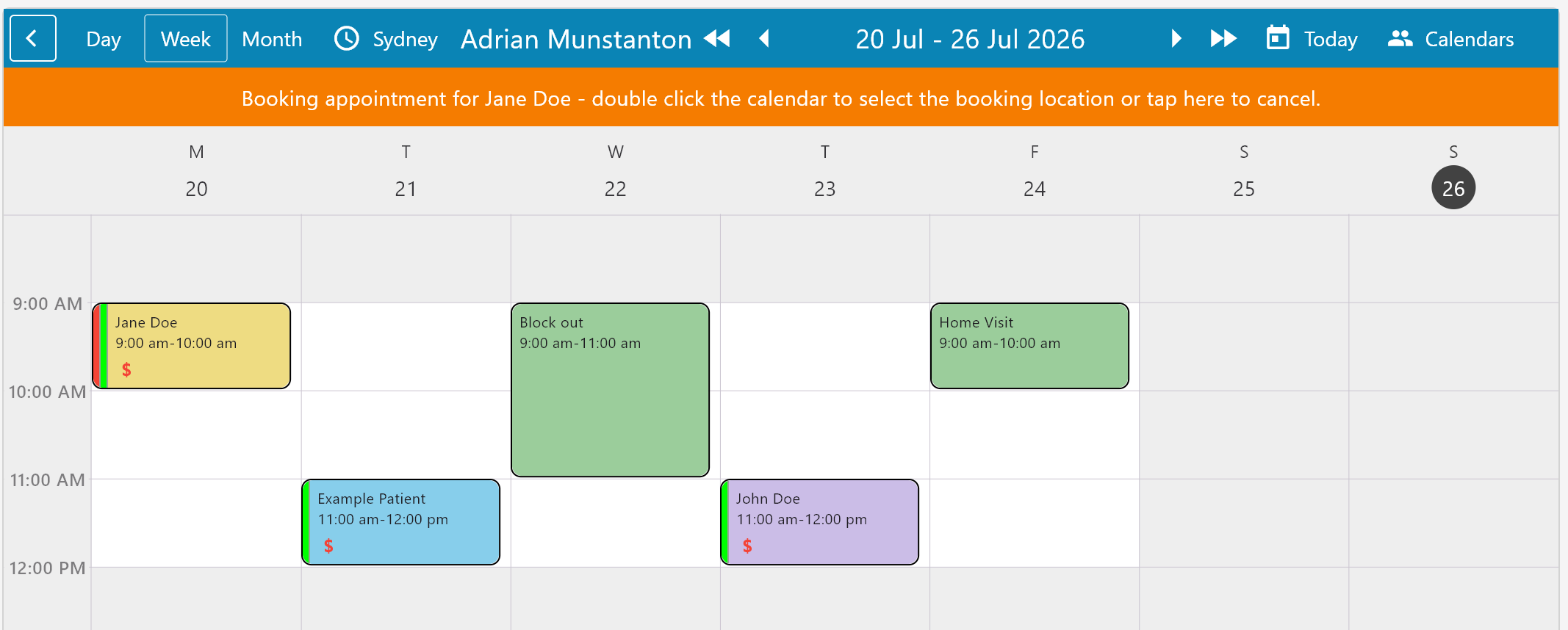
Finish each visit with connected billing and payments
Create invoices from the appointment or patient record, record payments and see outstanding balances in one workflow. Send invoices directly to patients and accept card payments through integrated Stripe and Square payment gateways, keeping billing connected to the care you provide.
Explore invoicing and payments →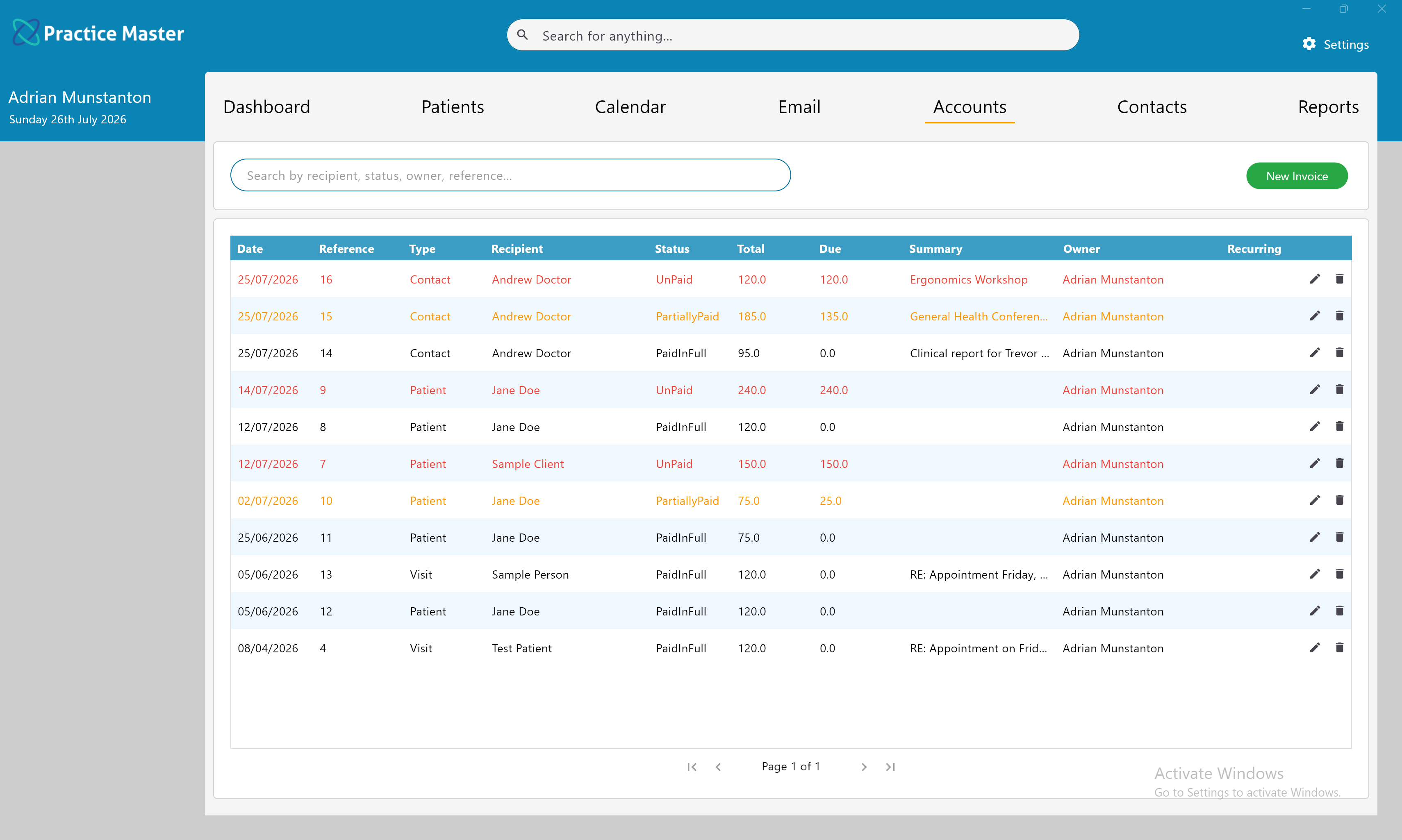
Simple pricing for your dietetics clinic.
Monthly practitioner licences, with free reception and admin users. AI licences and SMS credits are optional extras.
Complete Practice Package
Includes your first practitioner and the complete Practice Master Pro system.
- All core features included
- First practitioner included
- Unlimited patients and records
- Free admin and reception users
Each additional practitioner
Add practitioners as your practice grows, with full access to the clinical features they need.
- Individual diary and notes
- Full practitioner features
- No feature tiers
Unlimited support staff
Reception, administration and practice manager logins never cost you anything, with permissions set per person to match what each role actually needs.
All prices in Australian dollars, per month. Monthly billing with no lock-in contract. Cancel any time.
You don't have to work out the setup alone.
Installation, setup and migration assistance are included, along with support from the people who build the software.
Discuss your existing records
Tell us what you use now so we can discuss what can be brought across and the steps involved.
Ask about moving your clinic →Set access for each team member
Choose individual staff permissions. Encryption protects identifying information in cloud databases, backups and attached files.
Explore access and security →Keep control of your commitment
Monthly billing has no lock-in contract. If you leave, you can export your data and attached files in machine and human readable formats.
Read pricing and licence details →Questions about trying it in your clinic?
What should I test during the trial?
Explore a dietetics notes template, document a consultation, organise an appointment and prepare an invoice. Use the trial to decide whether the system suits the way you practise.
Do I need a card, and is help available?
No card is required for the 14-day trial. Free support, setup guides are available to help you get started.
Are AI features and SMS included?
AI Scribe and AI Patient Notes require an optional AI licence and are excluded from the standard trial. SMS credits are also excluded.
Check optional extras →Will it work on my devices?
Practice Master Pro offers Windows, Mac, iOS and Android apps. Contact us to confirm trial access and the workflows you need on your particular devices.
Can I bring my existing records?
Migration assistance is included. What can be transferred depends on the data available from your current system; contact us to discuss your records before moving them.
What happens after the 14 days?
If you decide to continue, practitioner licences are billed monthly with no lock-in contract. Review the pricing or contact us to discuss the right setup for your clinic.
Review ongoing pricing →Try it with your dietetics workflow.
See how your treatment notes, appointments and invoices work together. Start with a 14-day free trial, with no card required and support available as you explore.