
Dashboard
View key practice statistics, appointment activity and financial trends from a single dashboard.
Key Activities
- Monitor appointment activity over the previous seven days.
- Track incomplete patient notes that still require attention.
- View invoice totals and outstanding balances over weekly and monthly periods.
- Monitor booking trends including attended, booked, cancelled and DNA appointments.
- All charts update automatically using live practice data.
Overview
The Dashboard provides an overview of your practice using live information collected from appointments, patient notes and accounting data. It is designed to give practitioners and administrators a quick summary of recent activity without needing to open multiple areas of the system.
The charts update automatically as appointments are booked, notes are completed and invoices are created or paid, allowing you to monitor both clinical workload and business performance at a glance.
Common Tasks
The following common tasks can help you get the most out of this screen:
Review recent practice activity
- Open the Dashboard after signing in.
- Review the appointments and patient notes charts.
- Identify outstanding notes that still require completion.
Monitor practice income
- Review the weekly and monthly invoice charts.
- Compare invoiced amounts with outstanding balances.
- Identify trends in practice revenue over time.
Review booking performance
- Scroll to the Booking Status charts.
- Review the proportions of attended, booked, cancelled and DNA appointments.
- Use this information to identify trends in patient attendance.
Screen Reference
A detailed description of various screen elements:
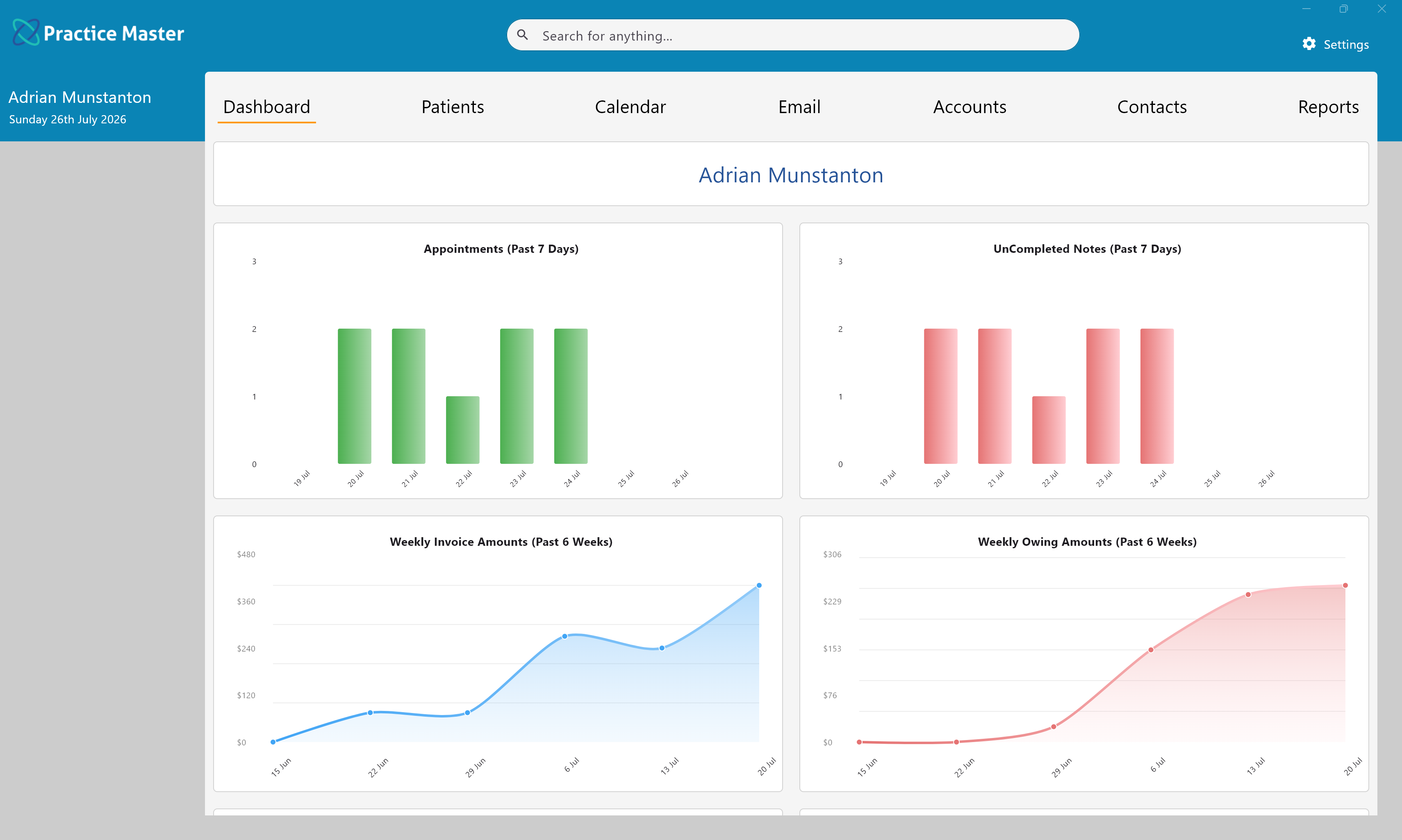
Appointments (Past 7 Days)
Displays the number of appointments scheduled each day during the previous week. This provides a quick indication of practitioner workload and recent booking activity.
Uncompleted Notes (Past 7 Days)
Shows the number of patient notes that remain incomplete for each day during the previous week. Practitioners can use this chart to identify documentation that still requires completion.
Weekly Invoice Amounts
Displays the total value of invoices created over the previous six weeks, making it easy to monitor recent billing activity and compare weekly performance.
Weekly Owing Amounts
Shows the outstanding amount still owed by patients for invoices raised during the previous six weeks. This provides a quick indication of outstanding debt and collection trends.
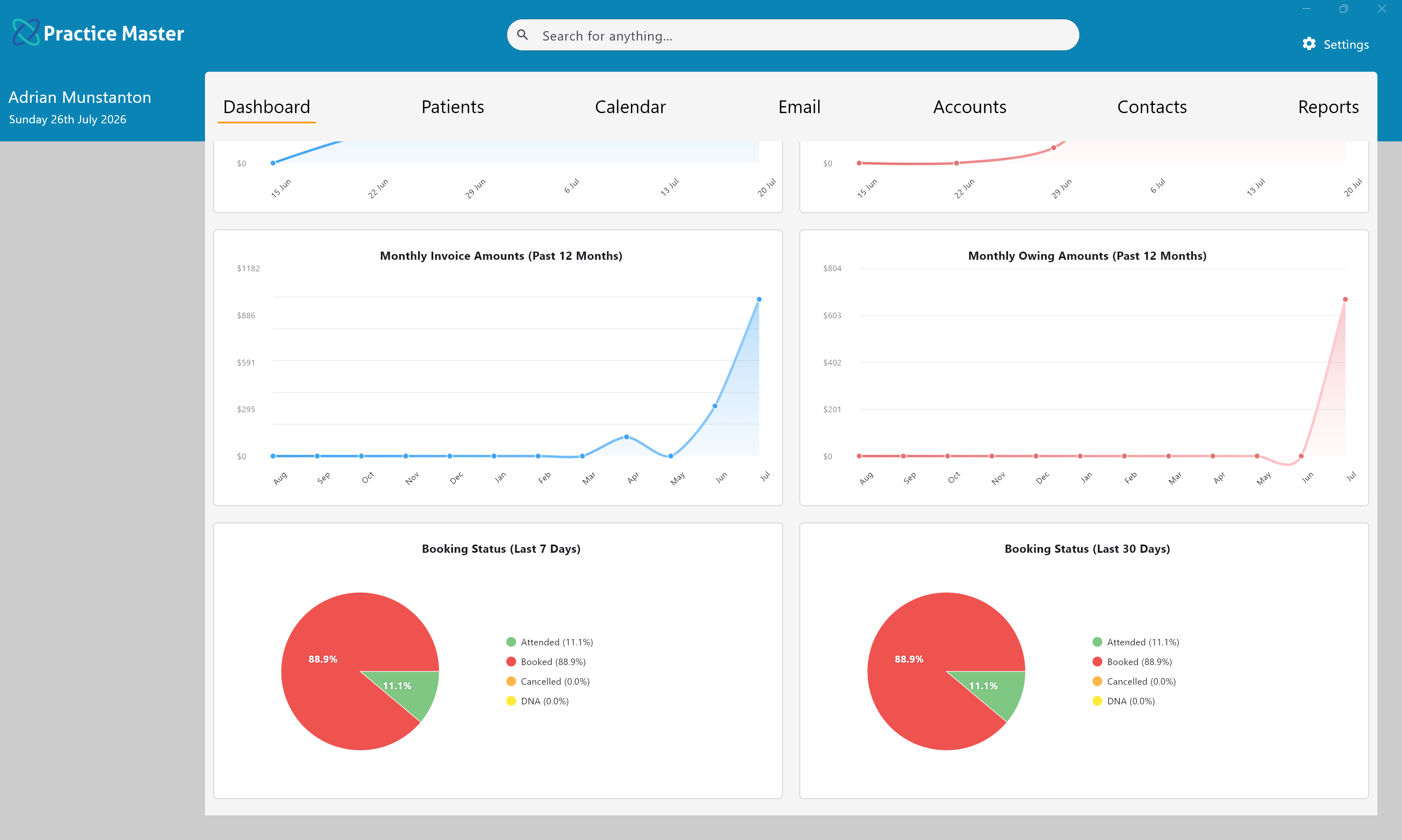
Monthly Invoice Amounts
Displays invoice totals over the previous twelve months, allowing longer-term revenue trends to be monitored throughout the year.
Monthly Owing Amounts
Displays outstanding invoice balances over the previous twelve months, helping identify changes in patient debt and payment behaviour over time.
Booking Status
- Attended - appointments successfully attended.
- Booked - future appointments that have not yet occurred.
- Cancelled - appointments cancelled by the practice or patient.
- DNA - appointments marked as Did Not Attend.
Pie charts summarise appointment outcomes over recent periods, including:
Separate charts are displayed for both the previous seven days and previous thirty days to help identify short and longer-term booking trends.
Tips
Helpful tips for this screen are below:
Check outstanding notes daily
Reviewing the Uncompleted Notes chart each day helps ensure patient records remain up to date while consultations are still fresh in memory.
Watch outstanding balances
Increasing owing amounts may indicate overdue invoices that require follow-up. Regularly reviewing these charts can help improve cash flow.
Identify seasonal trends
The monthly charts make it easy to recognise seasonal fluctuations in appointment numbers and revenue, assisting with future staffing and business planning.
Use booking statistics to improve attendance
Monitoring cancelled and DNA appointments can help identify trends and measure the effectiveness of SMS reminders, appointment confirmations and follow-up procedures.